appnext

Kamis, 01 November 2018

OnePlus 6T vs. OnePlus 5T: Should you upgrade?

OnePlus launches a new phone every six months, and with the OnePlus 5T now a year old, it's time to find out if you should upgrade to the 6T.

OnePlus 6T

The latest tech
$549 at OnePlus

Pros

  • Bigger display
  • Larger 3700mAh battery
  • In-display fingerprint sensor
  • 128GB storage as standard

Cons

  • No headphone jack
  • In-display sensor is slow

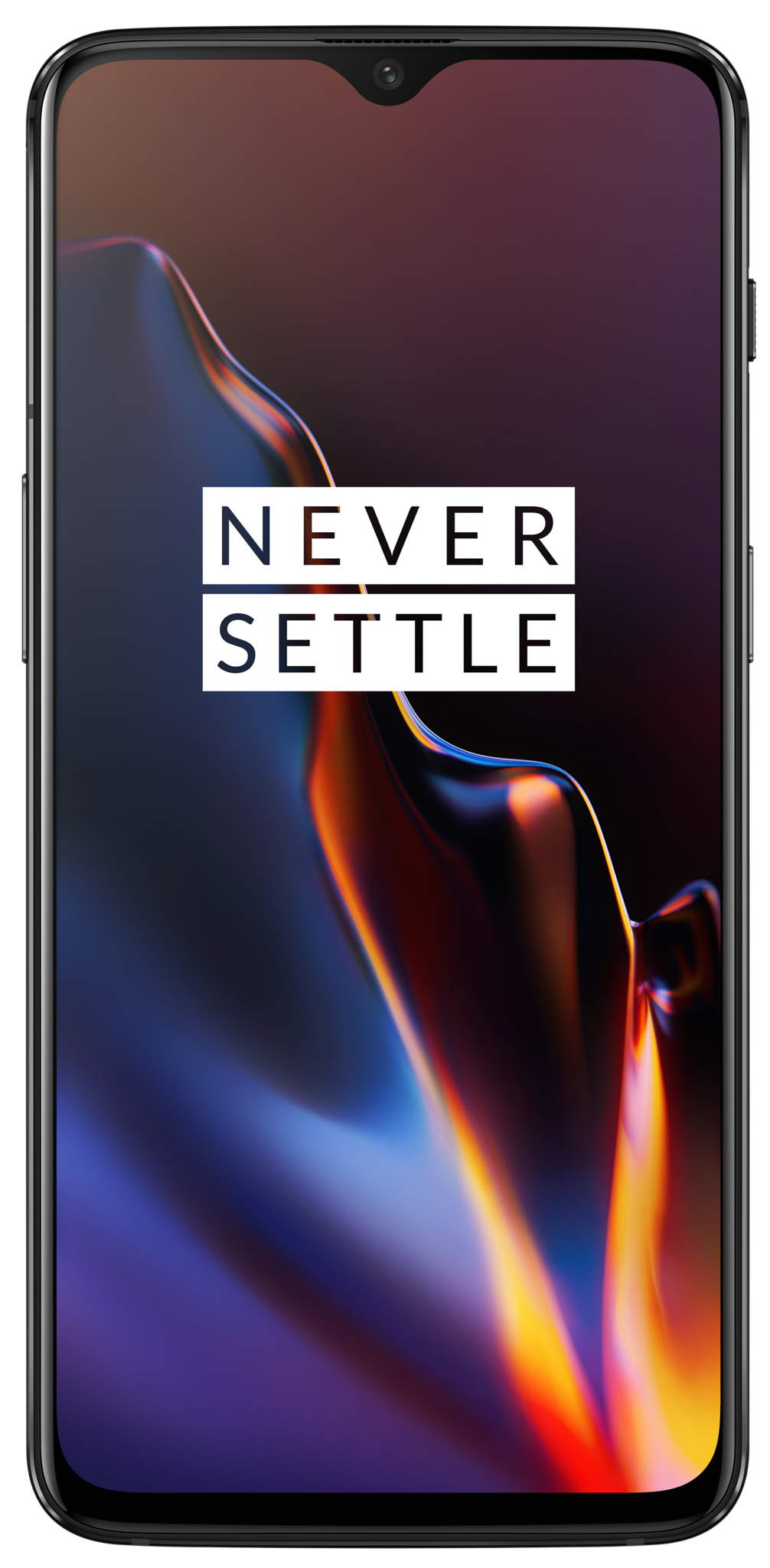
The OnePlus 6T introduces a few new features, including an in-display fingerprint sensor and a notch up top to maximize the display real estate. The camera and underlying hardware have been improved as well, and thankfully OxygenOS hasn't changed too much.

OnePlus 5T

Still going strong

$459 at Amazon

Pros

  • Better for one-handed use
  • Headphone jack
  • Snapdragon 835 is still fast
  • Fingerprint sensor is reliable

Cons

  • Still on Oreo
  • No water resistance

The OnePlus 5T has aged very well, and the hardware in particular doesn't look out of place as we get to the end of 2018. The Snapdragon 835 platform is still plenty capable, as are the cameras. The OnePlus 6T offers more refinement overall, but the 5T continues to be a great phone.

The OnePlus 5T is two generations behind, but you wouldn't notice that from the spec sheet. The phone still has a lot going for it, and while the 6T offers better hardware and a more immersive screen, there really isn't much different between the two devices.

Should you upgrade from the OnePlus 5T to the OnePlus 6T?

OnePlus' release cadence means we can look forward to two phones every year, with the T refresh bringing subtle tweaks over the full-cycle release. The OnePlus 5T debuted at the end of last year, offering an 18:9 display, thinner bezels, a rear-mounted fingerprint sensor, and a new secondary camera designed to take better low-light photos.

A year on, the formula hasn't changed much. The OnePlus 6T retains a similar design as the OnePlus 6 while introducing a more immersive display thanks to a narrower cutout, and it's the first OnePlus phone with an in-display fingerprint sensor. The base model also comes with 128GB of storage as standard, and the larger 3700mAh battery eliminates any worries about the device running out of power before the end of the day.

OnePlus has been trimming the bezels on the display with every generation, and that's immediately evident when you put the OnePlus 6T next to the 5T. The 6T has a narrower notch that houses just the front camera module, and the ultra-thin bezels at the bottom combine to create an immersive experience when using the screen.

The OnePlus 6T has a better camera and more immersive display, but the overall experience hasn't changed much.

The 6T comes with a larger 6.41-inch display even though the overall size of the phone hasn't increased all that much from the 5T (which has a 6.01-inch screen). The screen quality is identical between both models, with OnePlus continuing to offer great AMOLED panels on its devices. The extra screen real estate makes a tangible difference when reading text on the device, and the notch is small enough that it isn't an annoyance anymore.

Coming to the performance side of things, you're not going to notice a lot of difference between the two devices. OnePlus has done a magnificent job with OxygenOS, and when you combine the lightweight skin with the capabilities of the high-end Snapdragon chipsets, you get some of the fastest phones in the market.

The Snapdragon 835-powered 5T is just still as fast as it was when it debuted a year ago, and I don't see any lags or slowdowns in day-to-day use. The Snapdragon 845 offers more grunt, but there isn't a huge difference in performance, at least not enough to warrant upgrading from the 5T.

Category OnePlus 6T OnePlus 5T
Operating system Android 9.0 Pie Android 8.1 Oreo
Display 6.41-inch Optic AMOLED, 2340x1080 (19.5:9)
Gorilla Glass 6
6.01-inch Optic AMOLED, 2160x1080 (18:9)
Gorilla Glass 5
Processor Snapdragon 845
Adreno 630
Snapdragon 835
Adreno 540
RAM 6GB/8GB 6GB/8GB
Storage 128GB/256GB 64GB/128GB
Expandable No No
Rear camera 1 16MP (IMX 519), 1.22-micron, f/1.7, OIS
4K/60, 720p/480p video
16MP, 1.12-micron, f/1.7
4K/30fps, 720p/480p video
Rear camera 2 20MP (IMX 376K), 1-micron, f/1.7 20MP, 1-micron, f/1.7
Front camera 16MP (IMX 371), 1-micron, f/2.0 16MP (IMX 371), 1-micron, f/2.0
Connectivity Wi-Fi 802.11ac 2x2 MIMO, Bluetooth 5.0 LE, NFC, GPS Wi-Fi 802.11ac 2x2 MIMO, Bluetooth 5.0 LE, NFC, GPS
Audio USB-C
Single speaker
3.5mm headphone jack
Single speaker
Battery 3700mAh
Non-removable
3300mAh
Non-removable
Charging USB-C
Dash Charge
USB-C
Dash Charge
Water resistance No rating No rating
Security In-display fingerprint sensor Rear fingerprint sensor
Dimensions 157.5 x 74.8 x 8.2 mm
185 g
156.1 x 75 x 7.3 mm
162g
Colors Mirror Black, Midnight Black Midnight Black, Lava Red, Sandstone White

The front camera is identical between the two devices, but the rear camera on the 6T outshines the 5T. The 6T also comes with a new Night mode feature that allows the device to take much better shots in low-light conditions, an area where OnePlus devices have struggled in the past.

The OnePlus 5T is still on Oreo, but that should change in the coming months.

Coming to the software, the 6T runs Pie out of the box, whereas the 5T is still on Android 8.1 Oreo. OnePlus has gotten much better at updates over the course of the year, and with the OnePlus 6 picking up the stable update, the 5T is undoubtedly next on the list to receive the latest version of Android.

The larger display and improved cameras on the 6T do seem enticing, but if you're rocking the 5T and want to maximize value, you're better off holding onto it for one more generation. The phone continues to be one of the fastest around, and the rear fingerprint sensor is faster and more reliable than the in-display solution on the 6T. Then there's the fact that you're losing out on the 3.5mm jack on the 6T, which is a deal-breaker for a subset of the community.

OnePlus 6T

The latest tech

$549 at OnePlus

Cool new features backed by great value.

If you need a better camera and more immersive display with the novelty of an in-display fingerprint sensor, then the 6T is a decent upgrade option. The phone offers great value at $549, particularly when you consider that it comes with 128GB of storage as standard.

OnePlus 5T

Still going strong

$459 at Amazon

Has a lot of juice left in the tank.

The OnePlus 5T is just a year old, and it still has plenty to offer. The hardware doesn't look dated by any stretch of the imagination, the performance is on par with the 6T, and the Pie update is slated to arrive soon. There's no need to upgrade just yet, and you're better off waiting to see what OnePlus comes up with next year.

What Pixel 3 color did you get?

Not Pink seems to be the way to go.

With every Pixel phone that Google's released so far, it's offered two basic colors of black and white with a fun, more colorful option to go along with them. The original Pixel had Really Blue while the Pixel 2 had Kinda Blue with the awesome Black & White (aka Panda) being reserved for the larger Pixel 2 XL.

This year, the Pixel 3 and 3 XL are both offered in Just Black, Clearly White, and Not Pink.

Which color did our Android Central forum members pick? Here's what they said!

Jeremiah Bonds
10-30-2018 01:57 PM
“

I have the Not Pink color.. I actually like it a lot. I bought my wife the Clearly White.

Reply
bhatech
10-30-2018 07:11 PM
“

I got the clear white but now feel I should have gone with Not pink. It looks great.

Reply
puch96
10-31-2018 08:52 AM
“

Just Black... (I was kind of debating about the White) since I always get the black version. The white looks interesting and it would have been a change for me. But I always end up throwing a case on it from day 1, so I guess I'm OK with just black. (I wish Google would have released more color options though). I wouldn't mind a really nice RED, or some nice blue-ish.

Reply
Chex313
10-30-2018 07:44 PM
“

Not Pink, with a matching clear, but pinkish case.

Reply

What about you? What Pixel 3 color did you get?

Join the conversation in the forums!

Why should you buy a PlayStation 4?

Best answer: When it comes to its exclusive games lineup, Sony still remains king, and you're getting a machine known for its solid performance.

Sony exclusives

PlayStation has a lot to offer that Xbox is lacking, most notably in the exclusive games department. Though Microsoft has shown a commitment to growing its first-party portfolio with the acquisition of new game studios, Sony already has several studios under its belt that have been pumping out quality content for years, whether they be new IPs or established franchises.

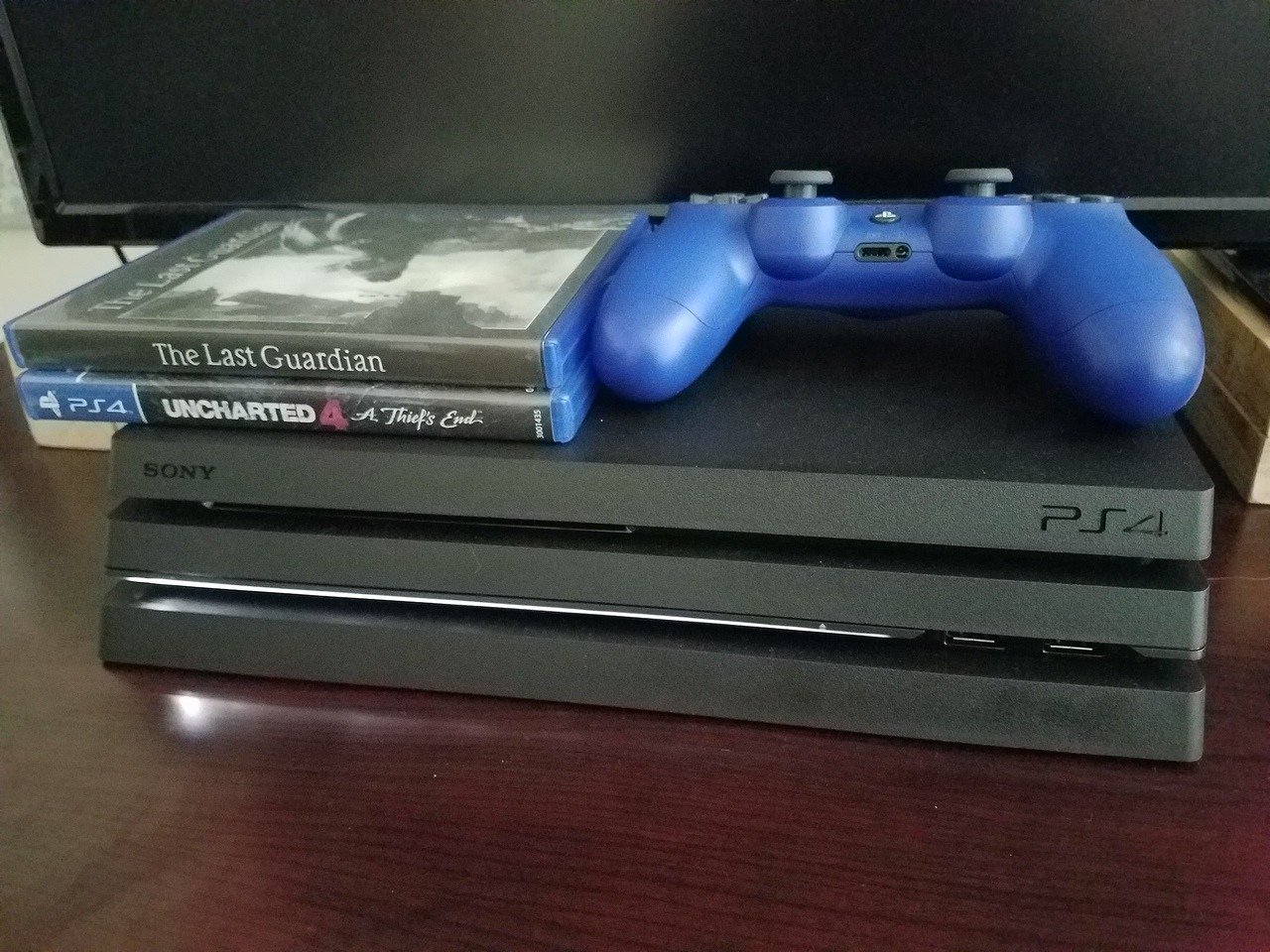
Titles like The Last of Us, Uncharted, God of War, Spider-Man, and Horizon: Zero Dawn have all been heralded as some of the best games ever made, and they are all only available on PlayStation. Where Microsoft seems to be pushing for more social experiences, Sony is doubling-down on high-quality single-player experiences that are getting buzz from critics and fans.

PlayStation Plus

Both PlayStation Plus and Xbox Live Gold allow members to snag a few free games each month, but PS Plus usually has the better lineup. Not only do you tend to get newer games offered through PS Plus as opposed to older titles on Xbox Live Gold, the monetary value tends to be greater as well, with PlayStation offering $1,287 worth of free games in 2017 compared to Xbox's $1,029.

Larger community

PlayStation 4 console sales numbers alone exceed well over 80 million, dwarfing those of Xbox One (although experts do say that Xbox One sales are up). Earnings reports peg PlayStation Network monthly active users at over 80 million as well, while Xbox Live hit just 59 million monthly active users in Microsoft's third fiscal quarter of 2018. Odds are that if you have friends who play video games like you do, they're likely on PlayStation. Though cross-play functionality is slowly being implemented in a handful of games, if you want to play with your friends, you'll likely need a PS4 to do so and with one.

Higher-end model is relatively cheap

The PS4 Pro may not have a power advantage over the Xbox One X, but it does have a price advantage. For only $400, compared to the $500 price tag of an Xbox One X, you're still getting a 4K-capabale machine that can run games at 60FPS, albeit less frequently than the competition.

If you're short on money and don't want to break the bank, the price may be its biggest selling point.

How important is performance?

Certain people live and die by a game's performance, so you'll need to ask yourself how important that aspect is to you. The PS4 already runs better than a standard Xbox One, though the Xbox One X does beat Sony's higher-end PS4 Pro model in terms of raw computing power. Despite this, the PS4 Pro's performance is by no means bad in any way, so you won't be missing out on much.

PlayStation 4 vs PlayStation 4 Pro

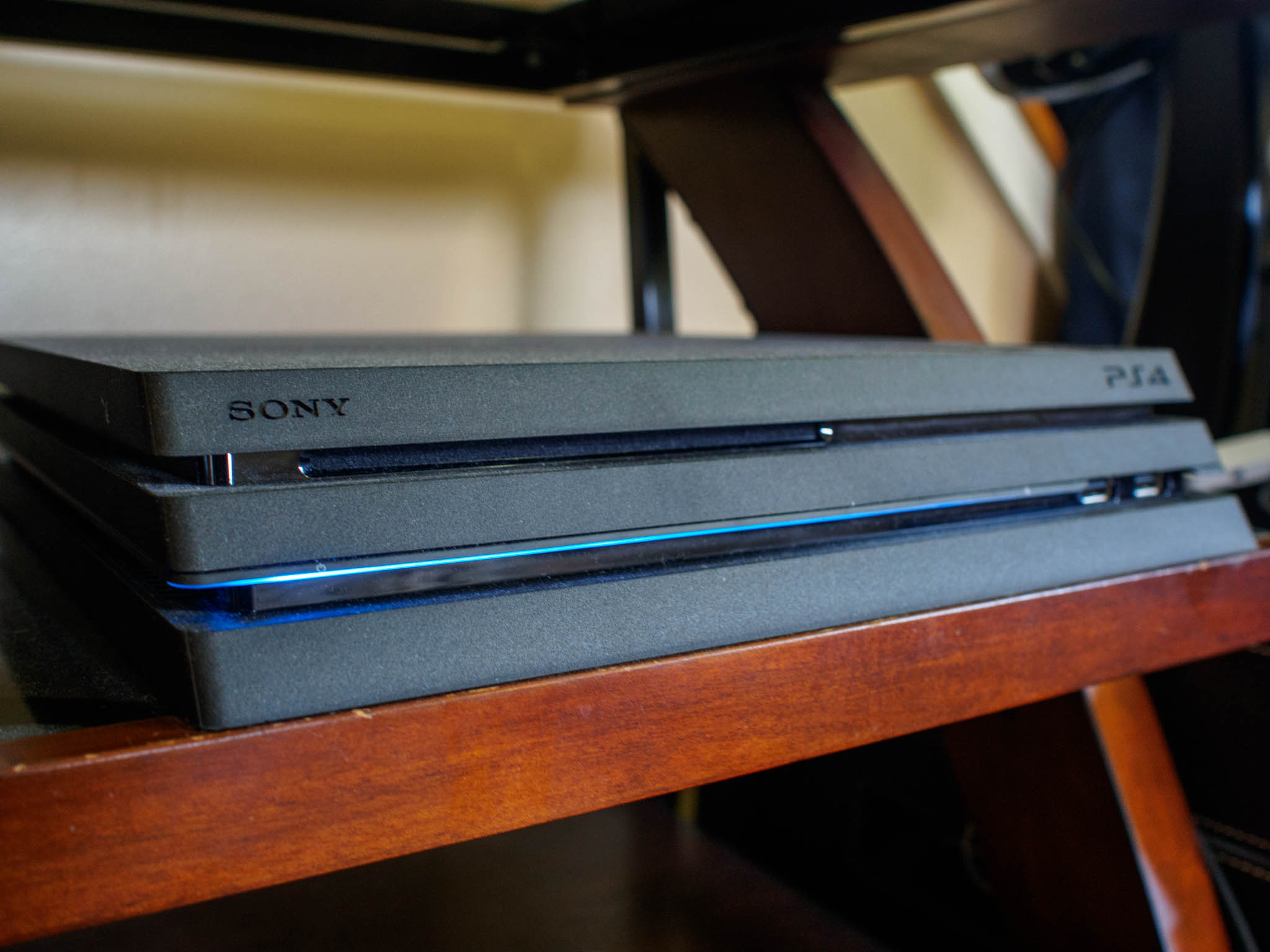
Related to the above section, the biggest difference between either PlayStation model is how well it can run games. While the base PlayStation 4 can deliver crisp 1080p visuals, the PS4 Pro can bump resolutions all the way up to 4K, containing four times the amount of pixels. Both consoles are technically capable of running games at 60FPS, but the Pro will hit this mark more frequently. The PS4 Pro is the way to go if you truly care about even the smallest performance advantage and have a 4K television to view its crystal clear graphics. For those with a 1080p display or those who just want to save money, the base PS4 is still an impressive machine.

Any game released for PS4 can also be played on any PS4 model. There are no "Pro exclusive" games or vice versa.

Our pick

PlayStation 4

$300 at Best Buy

Popular and reliable

PlayStation and Xbox can go toe-to-toe in a lot of regards, but Sony's exclusives catalogue tends to blow Microsoft's out of the water. Not only that, but your PlayStation Plus membership certainly goes to good use with quality free games each month.

That 4K goodness

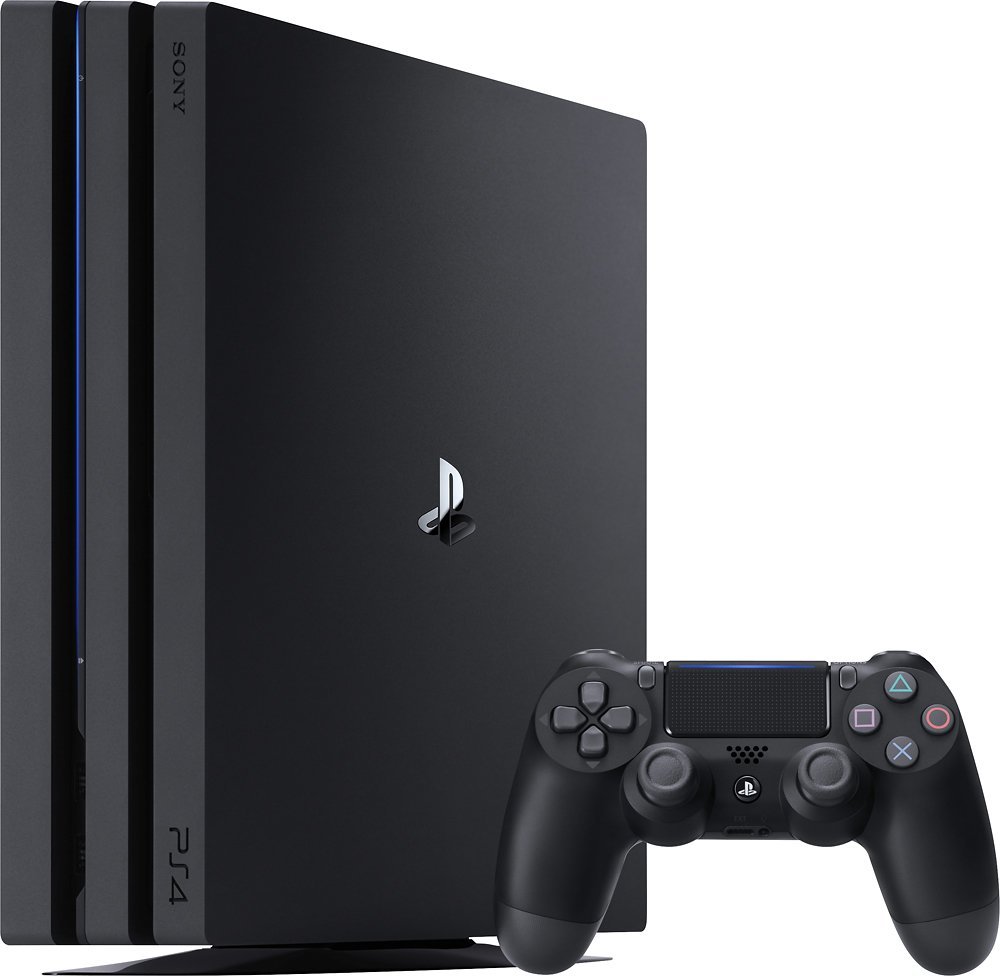
PlayStation 4 Pro

$400 at Best Buy

The best Sony offers

If you want quality exclusives along with the best performance possible on a Sony machine, upgrade to the PS4 Pro.

How to use Netgear Arlo with Google Assistant

Netgear's Arlo security system allow you to monitor and control your home from anywhere in the world, but looking at the video from the Arlo cameras on your phone can be a bit small. With Google Assistant's smart home controls, you can summon a live feed from your Arlo cameras to Chromecast-connected TVs or smart displays like the Google Home Hub by saying commands like "Ok Google, show Front Door on Living Room TV." If you've got an Arlo camera, you should absolutely connect it to Google Assistant. Here's how!

Products used in this guide

How to link Netgear Arlo to Google Assistant in the Google Home app

You can link Arlo to Google Assistant directly through the Google Assistant app, but doing it in the Google Home app allows up to add cameras to rooms in Google's newly redesigned Home View more quickly. Even if you don't have a Google Home, it's worth downloading the Home app for the Home View and Home members functions.

  1. Open Google Home.
  2. In the Home tab (the house icon on the far left of the bottom tab bar), tap Add.
  3. Tap Set up device.

  4. Tap Have something already set up.
  5. Tap Arlo.
  6. Sign in to your Arlo account using the email and password associated with your Netgear Arlo account.

  7. Tap Allow to allow Google to see and control the cameras and sensors connected to yur Netgear Arlo account.
  8. Google will sync your Netgear Arlo account and detect the number of cameras, sensors, and lights attached to your account. Once it has collected the device list, Google will ask you to assign cameras to the rooms they reside in. Tap the devices you wish to add to a room.
  9. Tap Add to a room.

  10. Tap the room the devices belong in. Note: If you need a room with a name that isn't an option, choose the Add a custom room at the bottom to type out your own room name.
  11. Tap Next.
  12. Repeat steps 8-11 with each of the Netgear Arlo devices on your account.

Once all devices have been assigned to a room, you can return to the Home tab in the Google Home app, where you can access the individual Arlo camera devices and view or modify individual Arlo device settings.

To summon the live feed from one of your Arlo cameras, say "OK Google, show [camera or room name]" on your phone, tablet, Assistant-enabled Chromebook, or smart display.

To summon the live feed to another device like a Chromecast, say OK Google, show [camera or room name] on [Chromecast or display name]."

How to rename Arlo cameras

Arlo cameras are often added to the Arlo system — and thus to Google Assistant — with a gibberish name that is impossible to ask Google Assistant for because it's impossible to pronounce. Thankfully, names can be changed, and here's how to rename your Arlo cameras in the Arlo app.

  1. Open the Arlo app.
  2. In the Devices tab, tap the 𝌀 menu icon in the bottom right corner of the camera card you wish to rename.
  3. Tap Device Settings.

  4. Tap the Pencil icon in the top right corner to rename it.
  5. Type in a new name for your camera. I suggest naming a camera after the location it is mounted in or pointed at, but so long as your name is easy to remember and easy to say, you should be fine.
  6. Tap Save.

Properly named cameras will be easier to summon by name through Google Assistant and easier to recognize in Home View.

Our top equipment picks

Technically speaking, so long as you have a Netgear Arlo account and Google Assistant, you can link the accounts together. Most currently available Netgear cameras are compatible with Google Assistant, and Google Assistant is just about everywhere these days from phones to TVs and set-top boxes to Wear OS smartwatches, to even cars with Android Auto, so feel free to mix and match what works for you.

Go beyond Pro

Arlo Pro 2

$380 at Amazon

These totally wire-free cameras can be mounted just about anywhere.

Arlo's Pro 2 cameras are 1080p so you can make out details and faces more easily, the Arlo Pro 2 base station allows you to store up to seven days of recordings for free both in the cloud and locally thanks to the USB backup option.

There are plenty of Arlo cameras to choose from, but the Arlo Pro 2 cameras are a higher resolution, capture a wider angle picture, and thanks to their battery-powered, wire-free range of 300 feet from base station to camera, you can mount one just about anywhere in or around your home, whether there's an outlet nearby or not. This starter system comes with two Arlo Pro 2 cameras and a base station.

Summon and see

Google Home Hub

$149 at Best Buy

This smart display lets you summon and watch your Arlo feed on one device.

Google Home Hub may not be the first smart display to be powered by Google Assistant, but it is one of the most affordable. Packed with a 7-inch display and microphones that can hear you across the room, Home Hub is an all-in-one smart home controller.

Google Assistant needs a screen to summon an Arlo feed to, so if you're using a screenless device like the Google Home Mini, you'll have to send the signal to a Chromecast every time, but the Home View can summon the feed directly to its own screen. It's also a great kitchen companion for step-by-step recipe instructions and watching YouTube while you try not to burn that batch of cookies in the oven.

Bigger is better

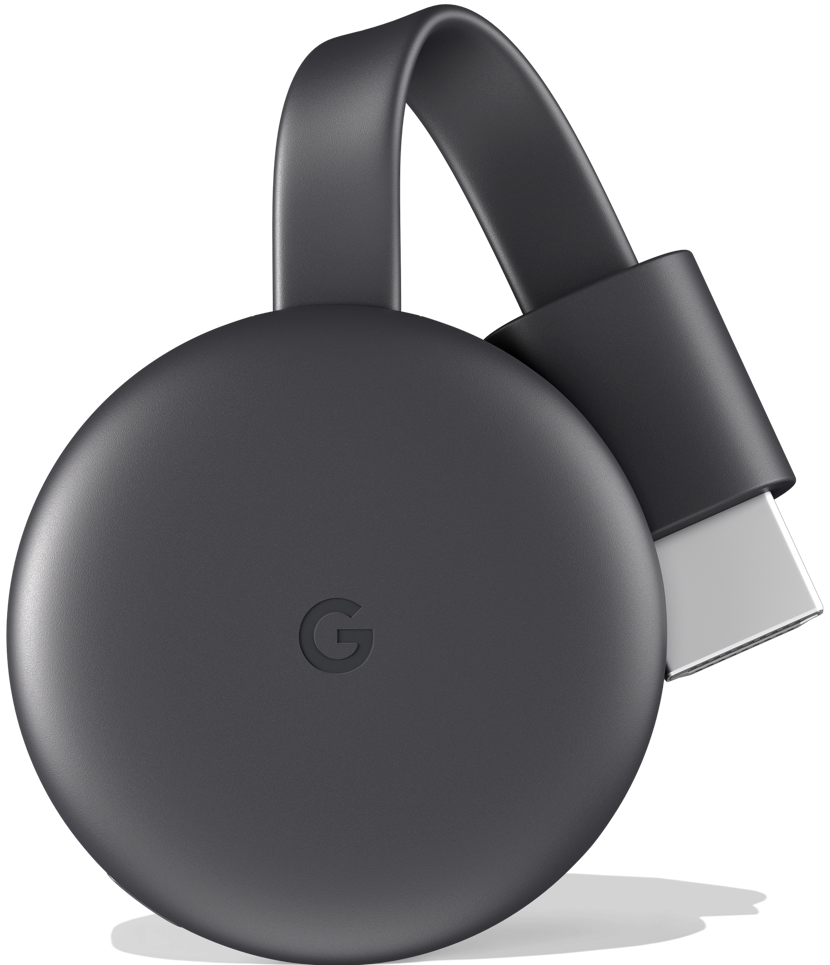
Google Chromecast (3rd gen)

$35 at Best Buy

Turn your Arlo's feed into a blockbuster and watch it on the big screen.

Google Chromecast remains one of the most affordable ways to upgrade a so-called "dumb TV" and access all your favorite web content. What better use could there be for this little dongle than using it to see who — or what — is prowling in the backyard.

Watching the feed from your Arlo cameras on a tiny phone or a tablet screen can get you by in a pinch, but why not use the biggest screen in your house to watch the live feeds from your cameras? Once Arlo is linked to Google Assistant, simply say** "Ok Google, show [camera or room name] on [Chromecast name]."**

App it up

There is a lot of hardware you can use for Arlo and Google Assistant, but you're going to want the same three apps no matter how big or small your setup is.

Arlo app

Free at Google Play

You need the Arlo app to set up and manage your Arlo cameras and to receive push notifications when a camera senses movement or sees someone coming up to your front door.

Google Home app

Free at Google Play

The Google Home app is not just for Google Home devices anymore! Manage the devices in your smart home and invite family members to control the 'Home' you set up.

Google Assistant

Free at Google

Chances are your phone already has Google Assistant enabled on it, but Google Assistant is available on so many other platforms. See where else it can fit in your life.

Everything you need for the best Amazon Echo Sub experience

With the Echo Sub, Amazon is getting serious about home audio. The subwoofer provides a vastly superior experience when streaming music with your Echo or Echo Plus, and setting it up is a breeze as it connects wirelessly. If you already have an Echo device and are looking to improve its sound quality or are interested in getting started with the Alexa ecosystem, here are all the ways you can use the Echo Sub.

Products used in this guide

The Echo Sub works best in a 2.1 configuration

You can pair the Echo Sub with a single Echo Dot, Echo, or Echo Plus, but for the best experience, you'll want to hook up two Echo devices with the subwoofer to create a 2.1 system. The Echo Sub delivers rumbling bass thanks to a 6-inch down-firing woofer paired to a 100 watt amplifier.

At $250, it's much more affordable than the Google Home Max or the HomePod. You'll get great sound when pairing the subwoofer with any Echo device, but for the best overall sound quality, you should opt for two Echo Plus (2nd gen) devices. Although the Echo Plus is roughly the same size as the standard Echo (and looks similar), it has a larger driver and sounds better.

If you don't already own an Echo device, Amazon is offering an Echo Sub bundle with two Echo speakers for $250, an $80 discount from buying the products individually.

How to pair an Echo Sub with your Echo/Echo Plus

As is the case with all Echo devices, setting up the Echo Sub is straightforward. You'll be able to wirelessly pair the subwoofer to your Echo or Echo Plus device from the Alexa app, following which you can start streaming music. Here's how you can get started:

  1. Open the Alexa app and go to the Devices tab.
  2. Tap the + button in the top right corner.
  3. Tap Add Device.

  4. Select Amazon Echo from the list.
  5. Choose Echo Sub.
  6. You should see your Echo Sub listed in the Available devices section.

  7. After connecting to the sub, you'll see an intro video for the Echo platform. Hit Next to pair the subwoofer.
  8. Select Continue when you see the prompt to stereo pair the sub with Echo devices.
  9. You'll once again see an intro video, this time for stereo pair. Select Continue.

  10. Read the instructions and hit Continue on the setup screens to pair the subwoofer to your Echo device.
  11. Once pairing is complete, you'll see the Echo devices connected to your subwoofer.

Our top equipment picks

Bass it up

Echo Sub

$129 at Amazon

Room-filling bass for your Echo

The Echo Sub brings much-needed bass to the Echo, bringing great in-home sound at a good price.

With the Echo Sub, Amazon is giving you the option to customize the subwoofer based on your preferences. There's the option to pair it with just a single Echo for a more dynamic sound, or you can choose to use it in a 2.1 configuration. If you already have an Echo or Echo Plus, you can just get another Echo and the Echo Sub and enjoy stereo sound.

All-in-one bundle

Echo Sub bundle

$249 at Amazon

A great place to start

Get this bundle if you're starting from scratch with the Echo ecosystem. It includes the Echo Sub along with two Echo (2nd gen) devices for $249, an $80 discount from picking the products up individually.

Additional Equipment

While pairing the subwoofer with an Echo device is easy, there are a few points to note. The Echo Sub doesn't work with all Echo devices, but it's compatible with the Echo (2nd gen) and the Echo Plus (2nd gen), so if you're using an older Echo, you won't be able to connect it to the subwoofer. Although the Echo Sub connects to the Echo Dot, we recommend pairing the subwoofer with either two Echo (2nd gen) or Echo Plus (2nd gen) for optimal sound.

Echo (2nd gen)

$99 at Amazon

The Echo is a great entry point into the Amazon ecosystem and pairing it with the subwoofer results in a significant upgrade in sound quality.

Echo Plus (2nd gen)

$149 at Amazon

The Echo Plus features a larger driver and tweeter that makes a lot of difference in a 2.1 setting, and you also get an integrated smart home hub that can be used to control smart lights.

Jaybird's new Tarah Pro headphones are waterproof and last 14 hours

Your favorite sport headphones just got a battery boost.

It wasn't long ago that Jaybird, makers of the popular X-series of wireless sport headphones, debuted Tarah, its pair of entry-level earbuds targeted at athletes that hadn't yet made the transition to wireless. Tarah replaced the company's older Freedom 2s, and at $100, sat in front of the X4s in the lineup.

Now the company is leapfrogging the $130 X4s with the $160 Tarah Pro, taking the best of both of those designs and amping up the feature set and battery life to justify the higher cost.

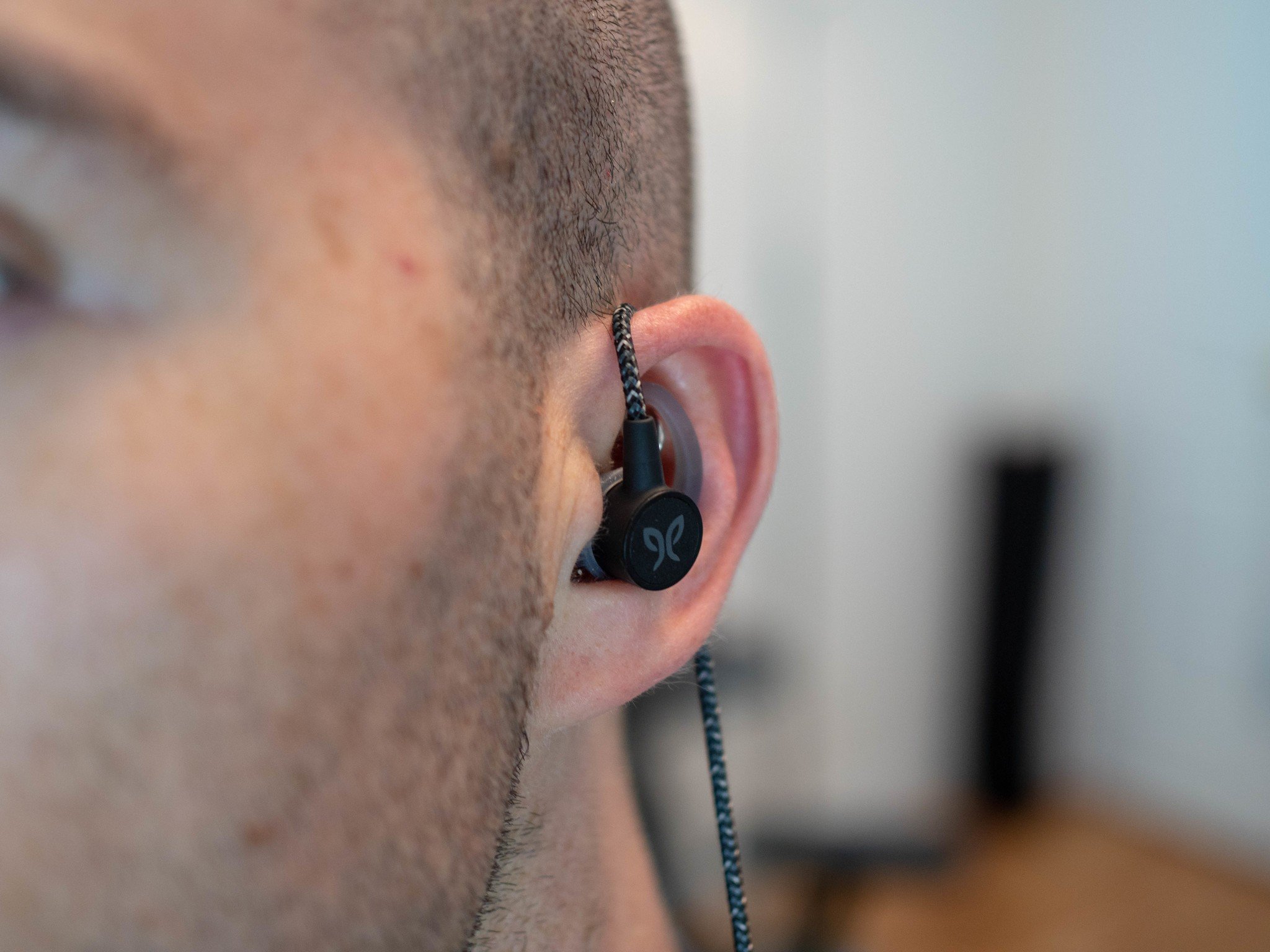
And battery life really is the standout feature here, with a 14-hour uptime that's almost double that of the X4s and more than double the 6-hour battery of the Tarahs. You can see the additional battery in the size of the earbuds themselves, which come with three sizes of unified wing/tips that latch onto a yellow enclosure.

Tarah Pro also comes with another neat new feature called Snap Lock that magnetically fuses the two buds together when hanging around your neck to automatically pause music. If kept together for more than 20 minutes, the headphones will turn off altogether, saving even more battery in the process.

Runners will be excited about Switch Fit, which rotates the earbud to make it easy to wear with the cord wrapped around the ear for a more secure seal. I prefer this method, actually, though it shortens the already-short cable.

That cable is now made of a reinforced woven nylon, much more pleasant to touch and secure to hold than any other Jaybird product before it. It's also slightly reflective, allowing others to see you running in the dark. The cinch is also improved over the Tarah and X4, and the earbuds are IPX7 waterproof and sweatproof, too.

Finally, the Tarah Pros come with a new personalized EQ feature built into the Jaybird app, allowing you to optimize the sound coming out of the drivers (which happen to be the same as those found in the Tarah and X4).

For $159.99, Jaybird has found quite a few ways to justify spending $30 more than the X4s and $60 more than the Tarahs themselves. The company tells me that they heard from athletes who were willing to spend more money on a pair of sport headphones with longer battery life and a more resilient cord while maintaining the core tenets of the what makes Jaybird products so good.

These headphones are up for pre-order now, and should ship this month. They'll be available in three colors, Black/Flash, Mineral Blue/Jade, and Titanium/Glacier, though the latter will an online exclusive.

See at Jaybird

WhatsApp's Status feature will start showing ads soon

The Facebook-owned messaging platform has over 1.5 billion monthly active users.

WhatsApp is largest messaging platforms around, with the Facebook-owned service touting over 1.5 billion monthly users. While the service may not be prominent in the U.S., its usage is near-ubiquitous in markets like India and Brazil, where it is used for everything from delivery tracking to payments. Here's what you need to know about the platform.

The latest WhatsApp news

October 31, 2018 — Get ready to see ads on WhatsApp

We've been hearing rumblings of ads coming to WhatsApp for some time now, and the platform's vice president Chris Daniels has confirmed that the Status feature will start showing ads in the coming months:

We are going to be putting ads in 'Status'. That is going to be primary monetisation mode for the company as well as an opportunity for businesses to reach people on WhatsApp.

There isn't a timeline for when ads will show up in the service, but an earlier statement suggested the monetization push would begin in earnest from early 2019. Daniels is in India to address the spread of fake news on WhatsApp. Over the last few months, misinformation transmitted via the messaging platform has led to a slew of deaths across India.

In a bid to curb the violence, the government is now seeking ways to identify and track those that spread misinformation on the service. However, that won't be easy as WhatsApp offers end-to-end encryption, and a trace feature would break it. For its part, WhatsApp has said it is working with government officials to better address these issues:

We appreciate the opportunity to meet with government leaders, including Minister Prasad who confirmed his support for encryption and the privacy of our users. WhatsApp is deeply committed to serving the people of India and working closely with civil society and government leaders to help address abuse on our platform.

Our new Head of WhatsApp India, who will be named by the end of the year, will build a local team that can serve our customers in India as well as work with partners and government.

All the details

Getting started

WhatsApp saw a meteoric rise in growth from emerging markets for its focus on simplicity. The app has picked up a ton of features in the last two years — including voice and video calls — but it has retained its lightweight footprint. That is one of the main reasons why it was able to take off in markets like India. Its ability to work on low-powered devices, as well as Android Go phones has allowed it to shore up millions of users.

At last count, WhatsApp had over 250 million users from India alone, or just under half of the country's internet-connected populace. If you're just getting started with the service or are interested in learning more about all the features on offer, head to our ultimate guide for all the details:

WhatsApp for Android: The ultimate guide