appnext

Rabu, 01 April 2020

Samsung's 55-inch 4K HDR Smart TV has dropped to $571 at BuyDig

The Samsung RU8000 55-inch 4K HDR TV is down to $571.34 at BuyDig. You have to add it to your cart and go all the way through checkout to see the final price, but right before you pay you should see the discount applied. Without the discount, the TV is $700 and you can find it going for that price at most retailers including Best Buy. This TV did once drop as low as $500, but that was a deal exclusive to Costco members and has since expired. This deal is not exclusive and is open to anyone.

The RU8000 is a 2019 model TV. It has been replaced with Samsung's TU8000 lineup. Even though the 55-inch TU8000 is cheaper, it's also not as good. The RU8000 has a much wider color gamut, better brightness, and more features overall. And it's only marginally more expensive with today's deal.

The RU8000 TV uses a 4K UHD processor that's powerful enough to upscale all your content. Watch every TV show and movie in 4K. It also has HLG and HDR10+ support so you can watch hDR content with shades of color that deliver more detail than any other basic HDTV. The Auto Depth Enhancer also creates various levels of contast on the screen so the important things really jump out at you and draw you in.

The TV's smart platform gives you access to Bixby, which is a built-in way to control the TV with your voice. You can also stream shows, movies, and games with access to all your favorite streaming platforms using Wi-Fi and some integrated apps. Connect to your existing smart home ecosystem for voice control using Amazon Alexa or Google Assistant.

Other specifications include a 240 Motion Rate to help with those high-octane fast action moments and two advanced 10W speakers. You'll also get four HDMI ports for connecting to your home theater or other peripherals. Use the two USB ports, too. The V-chip lets you block content based on program ratings and check ratings for programs you're unfamiliar with, which is great for parents with kids.

If Huawei is forced to stop building chips, the entire industry suffers

Samsung has given up, Huawei may be pushed out, and Qualcomm could become a de facto monopoly for the high end.

You probably have a phone with a Qualcomm chip inside of it, and chances are if it's a premium model, you are pleased with the performance. That's because Qualcomm makes a very good mobile chipset, and the Snapdragon's combination of a great CPU, a fantastic mobile GPU, and a complete package for all the radios and communication is very tough to beat.

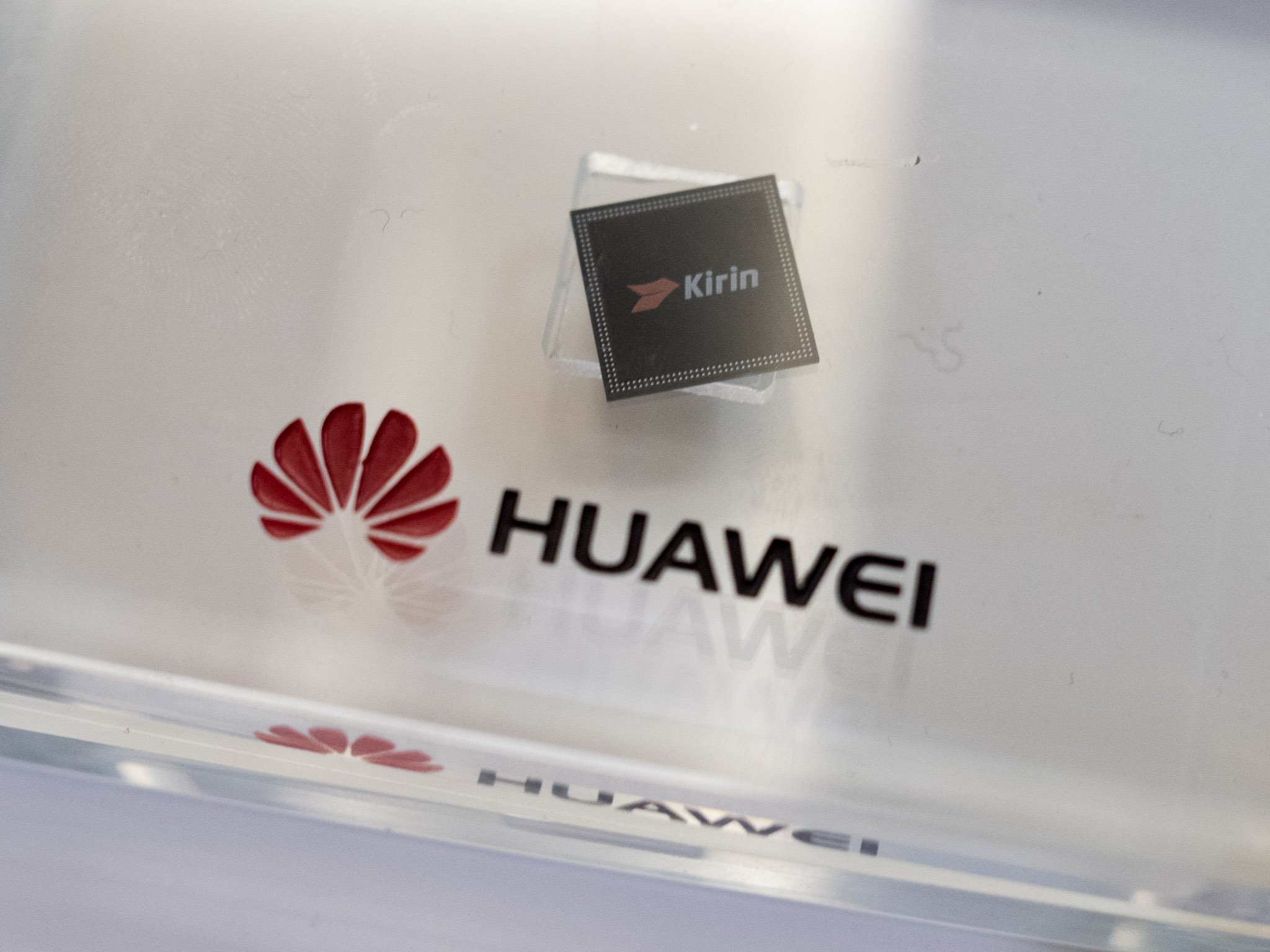
Part of the reason why is because Qualcomm knows that it has two other companies that would very much like to be where it is right now — or at least it used to. Samsung has decided to stop building custom Exynos CPU cores and is going to try something different for the foreseeable future. That leaves only one other player on the field, and the referees — in the form of U.S. government sanctions — look to be sending it to the locker room as Huawei may be forced to stop manufacturing its HiSilicon Kirin-branded chipsets.

Competition is what gave us the flagship phones we have today.

The mobile industry will survive this scenario, and chances are nobody buying a high-end $1,000+ phone will think its Qualcomm chip is a slouch. But that doesn't mean it's a good thing by any measure. Part of the reasoning behind this statement is how competition drives every industry, and making companies work hard for our dollars is a consumer win.

Qualcomm would still have competition, but not really when it comes to high-end, custom-fabricated, 5G-capable devices. MediaTek may make a great budget chip, but it's no competition for Qualcomm's Snapdragon 800 series. Or its 700 series for that matter.

Samsung will still build Exynos processors for phones and other devices, but a stock ARM core configuration and off the shelf Mali GPU isn't going to compare with Qualcomm's billions of dollars in R&D (and the devices will show it). Nobody is sure exactly what Samsung plans to do with its new AMD partnership, but it's going to take a few years to get dialed in. These are places where Huawei's HiSilcon chips shine.

More: Users are petitioning Samsung to stop using Exynos processors in its phones

Huawei makes a chip that does rival the Snapdragon high-end. Custom core configurations and a GPU, complete with a very comprehensive AI co-processor arrangement, means phones from Huawei match or beat flagship devices from every other manufacturer. This is no accident, as Huawei is more than willing to spend the money and time to build the best chip it can.

But this isn't the only reason why a Qualcomm monopoly in the flagship phone department is bad for the industry. Qualcomm makes very good equipment but has a track record of questionable ethics. 2019's lawsuits against and from Apple publicized this, but it wasn't anything new — Qualcomm used its position as leverage to get manufacturers to buy its Snapdragon chips.

Competition aside, there are also some unethical ghosts in Qualcomm's recent past.

It sounds innocent on paper — Qualcomm holds the patents needed for a phone to work well with North America's telecom networks. It is willing to license those patents, but by the time those fees are paid, it would have been cheaper to just use a Snapdragon and its integrated radio solutions in the first place.

This does two very bad things — raises prices on the phones themselves and can drive companies out of the industry altogether. Nvidia builds the Sheild TV and has supported the product far longer than even Google supports its own Android devices. The reason we never saw an Nvidia phone was because Qualcomm priced the company out. That sucks.

The NVIDIA Shield TV is still one of the best Android devices you can buy

We probably would have never seen any devices using a Kirin chip in the west, but to see a company that innovates so much and so hard only to be driven out of business because fabrication would be illegal under U.S. trade law stinks. It's bad for everyone and we deserve better.

Powered by Huawei

Huawei P30 Pro

From $606 at Amazon

Powerful, eye-catching, and excellent cameras

2019's Huawei P30 Pro continues to be an excellent purchase here in 2020, offering Huawei's own Kirin 980 processor, a 6.47-inch display, incredibly powerful triple rear cameras, and some of the best battery life around.

Is the eero Beacon the best way to expand your eero mesh?

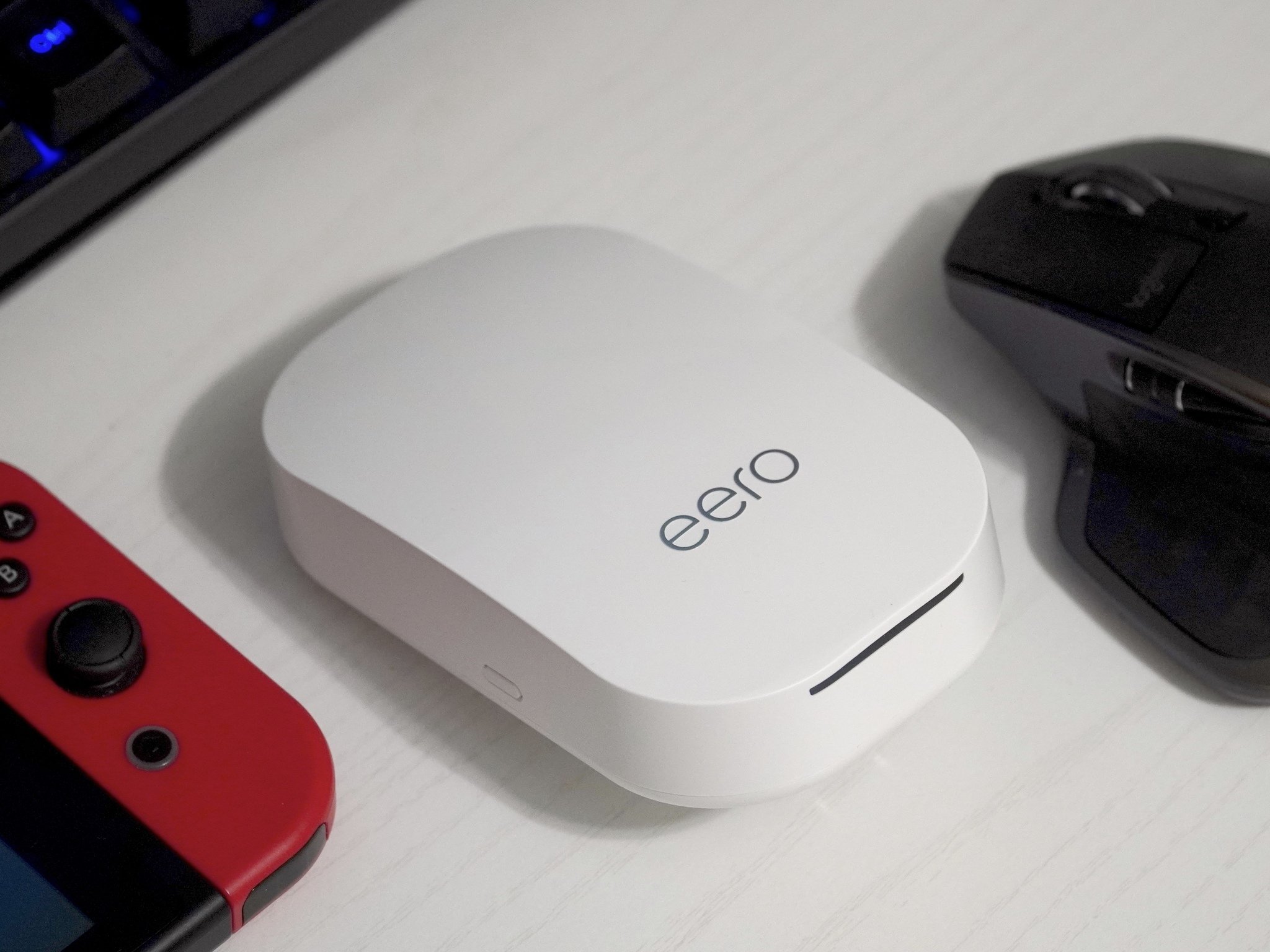
With eero, building a powerful mesh network in your home is a breeze. Not only that, but eero routers also have a simple and compact design with robust capabilities that are all accessible with the eero app. If you want to expand your eero mesh, you have three options ranging from the low-priced but powerful eero, the faster eero Pro, and the compact and sleek eero Beacon. The Beacon is instantly recognizable with its oblong white housing that blends in so well with a standard power outlet that it's barely noticeable.

There's no getting around the fact that it is the slowest of all the eeros with the fewest features, save a nightlight, and compared to the standard eero, it's rather expensive. Still, for adding that extra bar of signal to my streaming devices in my living room without taking up any more space on my shelf, I like it.

Eero Mesh WiFi System (Gen 3) Review: Broad coverage at a lower price Eero Pro review: An excellent mesh router system, but overkill for small spaces

Compact mesh expansion

eero Beacon
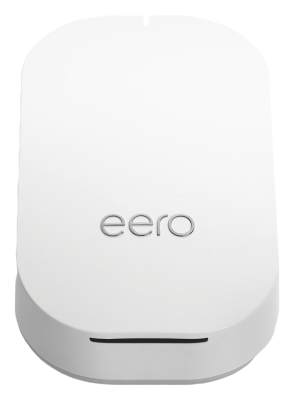
Bottom line: The eero Beacon adds up 1,500 square feet of wireless coverage to your eero mesh with no additional wires and a straightforward setup. If the compact size is worth the cost to you over the standard eero, it's a great addition.

The Good

  • Compact design
  • No additional wiring
  • Easy to add with eero app
  • 1,500 square feet of coverage
  • Night light built-in

The Bad

  • No Ethernet ports
  • Requires existing eero mesh
  • Slower than other eeros
  • Expensive

$149 at Amazon

eero Beacon The user experience

The eero Beacon works to extend the coverage area of an existing eero mesh. This can be made up of any of the other eero routers with one connected directly to the internet. The Beacon will work with first, second, and third-generation eeros as well as the eero Pro. The standard eeros all have dual-band Wi-Fi with the newest eeros being capable of utilizing a wider range of 5GHz bands as well as a 2.4GHz band, allowing for a more efficient connection in areas with a lot of wireless traffic.

The eero Pro can make use of a 2.4GHz band as well as a 5.2GHz and 5.8GHz band at all times, making it the most versatile eero capable of the highest speeds. I used an eero Pro with the Beacon for my setup.

It only takes a few steps to get your network up and running in a basic configuration.

Using the eero app, it only takes a few steps to get your network up and running in a basic configuration. From there, I added the Beacon in and had it connected in just a couple more minutes. It's worth mentioning that I had trouble getting devices to connect to the Beacon at first. Still, after triggering a software update for the eeros manually, devices would be assigned and switched from the Pro to the Beacon without a hitch, as you would expect.

The update would have completed automatically overnight and resolved the issue on its own if I hadn't been keeping track of the connection. For the first time setup, I think it would have been better if the eeros had sacrificed a minute of setup time for the extra stability. Still, since checking for updates should always be one of your first troubleshooting steps, it was a quick resolution.

eero uses its TrueMesh software to allow all of the eero routers and extenders on your network to connect to the mesh dynamically. This means that, unlike some whole-home Wi-Fi solutions, your nodes won't all need to talk to the base router. TrueMesh will be able to find out which paths are the most efficient based on speed and signal strength to keep your speeds consistent even as you add more eeros to your network, increasing the complexity. Of course, this all happens automatically, and you only need to think about the app.

The eero app is the star of the show and makes everything extremely easy. The first time I ever set up a home network, I had to connect to the gateway's IP address and click through dozens of confusing screens to do anything. This was standard procedure for any home network, and I'd gotten comfortable with the process, but the eero app makes everything so easy, I don't miss it one bit. You do need to register for an eero account, which is slightly inconvenient but not a big problem.

While you do get more control than most ISP-provided routers, there are some critical things left out that more advanced users may want. For one thing, you won't create separate 2.4GHz and 5GHz networks to connect to as your devices will be automatically assigned to one or the other depending on the connection quality. My Playstation 3 doesn't support 5GHz and is connected to the eero Beacon on 2.4GHz without any issue. You can, however, create a guest network if you have visitors that need to get online.

You can see which eero your device is connected to in the app as well as if it's using 5GHz or 2.4GHz, but you won't be able to force it to one or the other. Still, the software seemed to choose what made sense except for my Nintendo Switch, which stuck to 2.4GHz, making a game download take longer than it needed to. Online play has been faultless, but I would like to be able to set a preference.

You do get to assign IP reservations on a per device basis as well as defining IP ranges if you have a more complicated network setup. For me, everything left on automatic worked fine with no conflicts even with several wired devices connected to the same Ethernet switch as the eero Pro's uplink. You also get access to port forwarding as needed as well as a toggle for IPv6 if you want it.
Finally, eero's last software trick comes with its eero Secure and Secure+ subscription services. The former, at $29.99 per year, comes with security scans and threat blocking, which checks your browsing against a list of known threats and is able to refuse the connection. Many people will have software on their computer that is more than capable of protecting them along with a little internet common sense, but it can be a nice option for kids or less tech-savvy people. There's also content filtering and ad blocking available if you want to restrict specific profiles.

eero Secure+ comes with all of the above, as well as a VPN service, a password manager, and antivirus software. Again all of this can be obtained without eero's help, but having it in one place will be worth it to some. But not me.

eero Beacon Speed, power, and prowess

In my testing, I used the eero Beacon with an eero Pro connected to my cable internet connection through a gigabit Ethernet switch. On a good day, my internet is capable of just over 500Mbps download and over 30Mbps upload, which is well within the eero Pro's comfort zone. However, eero only recommends the Beacon for connections up to 350Mbps.

While connected to the eero Beacon, the fastest download speeds I saw were around 250Mbps, with most of them closer to 200Mbps. And that's fine. Everything on my network that needs a faster connection than that is hardwired, which leaves the Beacon to handle all of my streaming devices such as a Roku soundbar and my Google Home Max speaker. Both of these devices had random connection drops on my previous router, and the Beacon is more than fast enough for anything I want to do with them.

eero states that the Beacon can add up to 1,500 square feet of coverage, but with a mesh like this, it's better not to try to stretch your connection too thin and instead use the Beacon to fill in weaker areas. I love how much more reliable the Wi-Fi is in my living room, and as long as I can keep away from speed tests, I'm happy.

I can't shake the feeling that a standard eero would be a better choice.

The biggest reservation I have in recommending the eero Beacon is that I can't shake the feeling that a standard eero would be a better choice. You can expand with your eero mesh with any eero router after all. While the standard eero takes up more space and requires a surface to sit on to work optimally, its faster Wi-Fi performance and lower price make it feel much better. But the eero Beacon delivers on its promises and has worked reliably with everything I've thrown at it.

The eero Beacon's biggest strength by far is its fit and finish. It sits right up against the wall, barely more than an inch thick. It shines a wide night light below it if it's dark enough and even leaves room to plug in another device. I would have liked a ground plug to be included for additional support since the outlets in my home are a bit old, and the eero Beacon slants to one side under its own weight. Even so, I think it looks nice and is a far sight better than any Wi-Fi extender I've ever seen.

eero Beacon Should you get it?

I really do like the eero Beacon, but if I were to expand my Wi-Fi coverage again, I would feel a lot better about buying a standard eero, especially considering it's currently $70 cheaper. If you're willing to spend the extra money and don't need any Ethernet ports on your eero extender, the eero Beacon is still a great addition to the network.

3.5 out of 5

If you like the look of the eero Beacon and want something slim and out of the way, it's hard to match the Beacon on any Wi-Fi system. If the Beacon could deliver speeds more on par with the rest of the eero line and had a way to fit more snuggly in my socket, I'd be much more comfortable giving it a full recommendation. Still, for a lot of people, the Beacon is a great choice.

Compact mesh expansion

eero Beacon

$149 at Amazon

Compact mesh expansion

The eero Beacon adds 1,500 square feet to your eero mesh without running any wires in a compact housing with enough speed for most applications.

Google offers price savings of up to £170 on the Pixel 4 and 4 XL

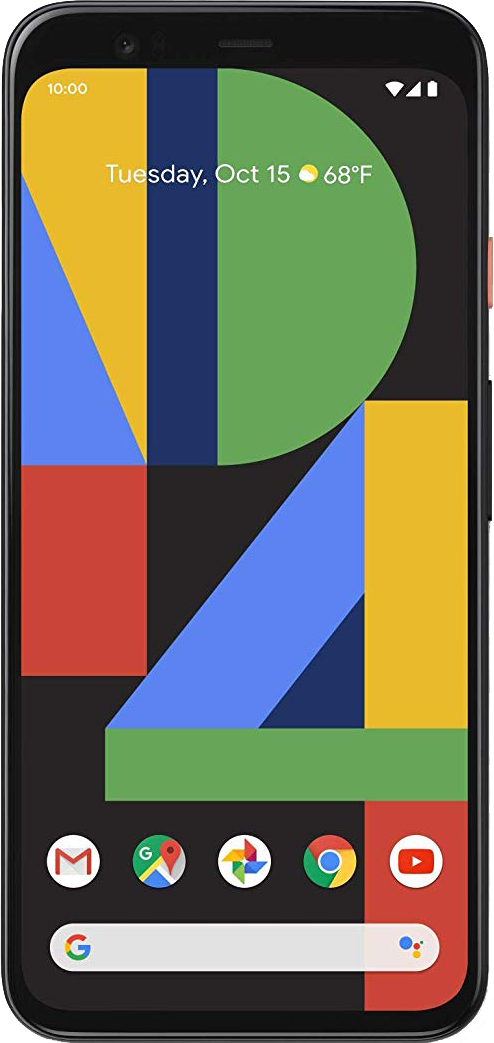
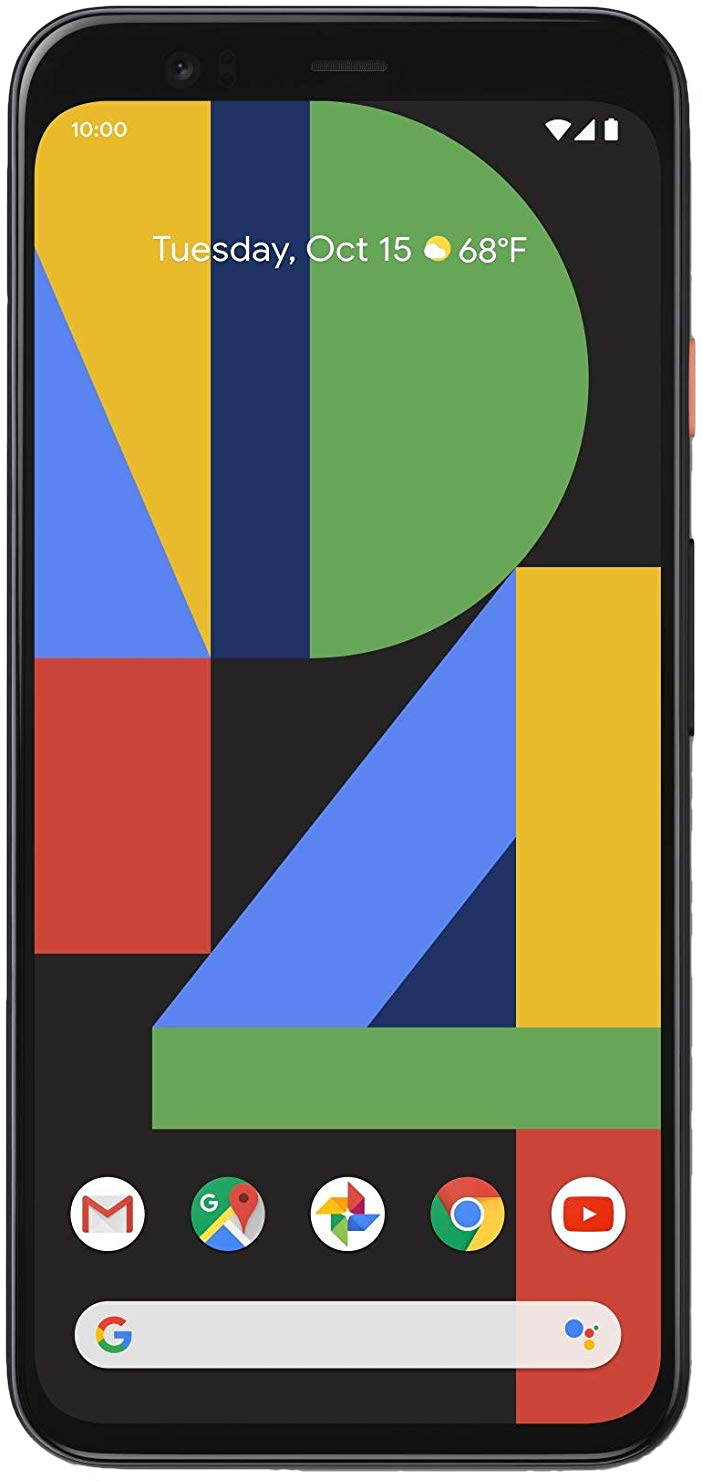
Google's flagship Pixel 4 is set to drop in pricing in the UK. The company is discounting the flagship handset by £150 when you buy a 64 GB model. If you opt for a larger 128 GB model, you'll be able to save up to £170. These savings apply to both the Pixel 4 and 4 XL.

These deals run from April 1st through to the 14th of April. You can purchase the Pixel 4 from Google's partners in Argos, Carphone Warehouse, John Lewis, and from the Google Store itself (albeit from April 4th).

Earlier this week, Google announced savings on the Pixel 3a, Chromecast and Google Home family. Those deals will run through April 21st, stopping a little bit after the savings on the flagship Pixels end.

Good camera, OK stamina

Pixel 4

From £699 at Google

A decent small Android phone

Despite its battery life shortcomings, the Pixel 4 remains a good Android phone just for the camera alone. Google's quarterly feature drops ensure that Pixel 4 will keep getting better throughout its lifetime.

Bigger and better

Pixel 4 XL

From £829 at Google

Bigger, Better

It's larger than the Pixel 4 but more than justifies it with increased battery capacity. It has the same minimal design as the smaller Pixel and keeps its incredible camera. For £150 off, it's worth considering.

It's time for LG to bring its software up to 2020 standards

LG's hardware is great, but I would take almost any other company's software.

I'm fresh off the heels of publishing my video review of the LG V60, which went live alongside Andrew Martonik's written review, and to be totally honest, the very first thing I did after my video went live was move back into my Galaxy S20+.

This is partially because my V60 is a locked AT&T review unit, and my personal phone number is attached to a Google Fi SIM. But it was also hugely relieving because for as much as I enjoyed the V60 for its nice hardware, I couldn't wait to stop using LG's software, which Andrew and I both complained about in our respective reviews. I'm not even a huge fan of Samsung's One UI per se (I'm that guy that always prefers Google's Pixel UI or OnePlus's OxygenOS), but it feels incredibly modern by comparison.

LG's software isn't a deal-breaker, but it doesn't add any value against other phones.

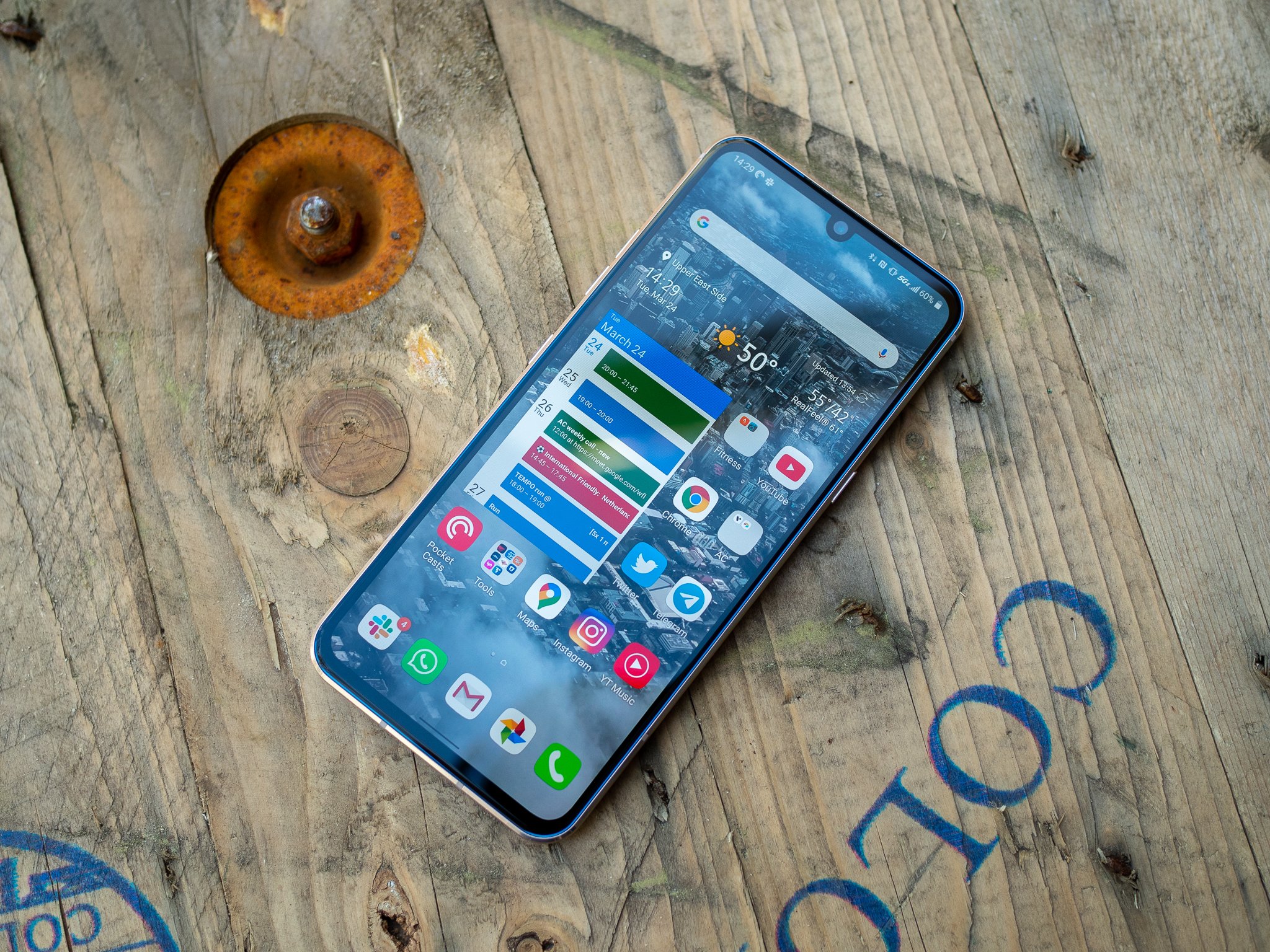
At first glance, LG's UX 9 looks perfectly fine, with a revamped aesthetic based around Android 10 — we even wrote an article a few months ago touching on its visual similarities to One UI. But under the surface, there's a lot that's either outdated or downright missing from the software.

I mentioned in my video review that there's no way to swipe down on the screen to access your notification shade with the default launcher, something that seemingly every other variant of Android has gotten down by now. That's a hugely important feature, especially on such a physically large phone, and one can only imagine that LG (who was one of the first to implement swiping down on the fingerprint sensor around back for the same action) just forgot to move the action to software since switching to an in-display fingerprint sensor.

There are also hilarious holdovers from long-discontinued hardware trends, like how the software still reminds you not to remove the battery if the software freezes ... something you haven't been able to do since the LG G5. Or the fact that the app drawer still doesn't remember your sort settings; if you sort alphabetically, then add or remove an app, you'll need to hit the menu overflow button in your app drawer and sort all over again. How is this still a thing?

Of course, you can fix a lot of this by just installing a third-party launcher — but that, in turn, disables gesture navigation and kicks you back to the old three-button layout.

You still shouldn't count the V60 out, considering how great its hardware and battery life are.

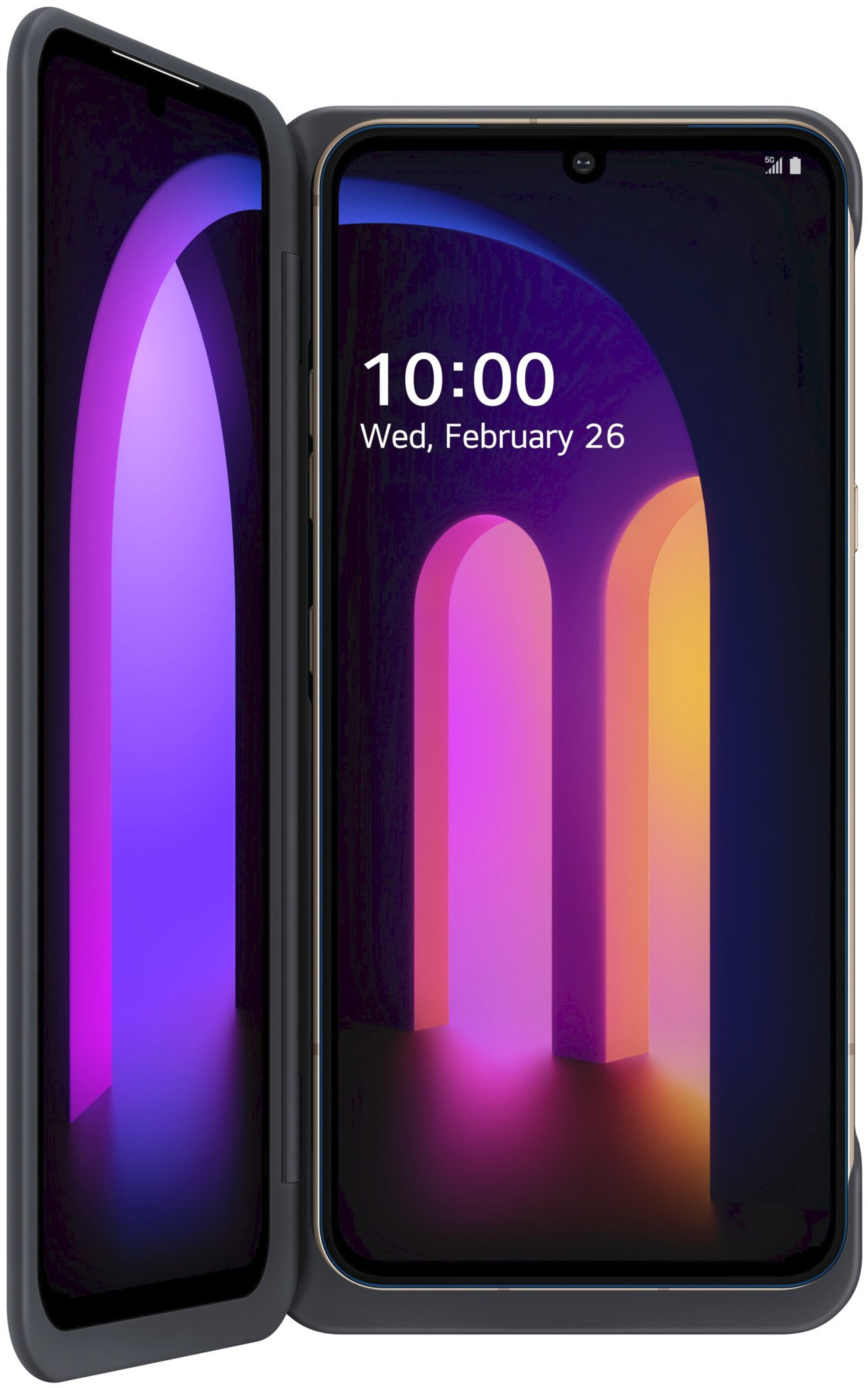
There's also the frustrating software management of LG's own creation, the Dual Screen secondary display attachment offered with the V60. While it works well in doubling your screen real estate, running one app on both screens is an exercise in frustration; before entering full screen(s) mode, you need to first jump into the system settings and enable each app for Dual Screen individually, then the system still prompts you to manually activate full-screen mode within the floating menu button before it distributes the UI elements accordingly.

To LG's credit, it does some things on the software side that aren't just good, but better than the alternatives from others like Samsung. I love being able to double-tap the screen not just to wake the V60, but to put it back to sleep as well. It also isn't loaded with too many redundant services like One UI (though bloatware is a different story on this AT&T unit), and the lack of Bixby is certainly a relief.

LG's software isn't a deal-breaker, and the V60 is still a perfectly good phone with excellent features like 5G support, 8K video recording, high-res wired audio, and outrageously good battery life — all for under $1000. But it's hard to call any part of its software experience a positive trait of the phone, and I'd put just about any other manufacturer's software on the phone if I could.

Still, the phone's a great value for all of the high-end features it offers, and as I said in my review, it doesn't have to beat Samsung's S20 series (or any other flagship, for that matter) in sheer feature sets when it manages to offer such a complete experience for hundreds of dollars less.

Dual Screen flagship

LG V60 ThinQ 5G

$800 at T-Mobile $900 at AT&T

A great phone held back by subpar software

LG's software may not offer the best experience around, but the V60 is still a fantastic value given all that its hardware offers. You get two capable cameras that can shoot 8K video, 5G network support, and some of the best battery life we've seen on a phone in recent years.

Get ready to pay much more to buy phones in India

The Indian government decided to hike the Goods and Services tax on mobile phones to 18% from 12% last month.

What you need to know

  • Many popular brands have increased prices of their smartphones in India due to the hike in Goods and Services Tax on smartphones from 12% to 18% by the Indian government.
  • Vivo is raising prices by up to ₹2,000 ($26), while Samsung has hiked prices by up to ₹6,000 ($79).
  • The government's move is expected to lead to immediate job losses and could put a damper on future investments in manufacturing in the country.

Several popular brands today announced that they are increasing the prices of their smartphones in India. The companies were forced to hike prices after the Indian government increased the Goods and Services Tax on mobile phones from 12% to 18%.

Xiaomi, which is currently India's No.1 smartphone vendor in terms of market share, said in a statement that it had "no option than to increase prices" due to the hike in GST rates and the significant depreciation of the Indian Rupee against the U.S. Dollar. Redmi has raised the price of the K20 by ₹2,000 ($26), while prices of the POCO X2 have gone up by ₹1,000 ($13).

Just like Xiaomi and its sub-brands, other Chinese smartphone makers like OPPO, Vivo, and Realme have also decided to hike prices of their phones in the country. While Samsung hasn't issued any official statement yet, reports claim the company has told its retail partners that it is increasing prices of its phones by up to ₹6,000 ($79). The Galaxy S20 Ultra, which was launched at ₹92,900 ($1,220) in the country last month, now starts at ₹97,900 ($1,285).

Smartphone makers believe that the GST hike on phones is a "counter-intuitive and insensitive" move that is likely to result in immediate job losses and could discourage future manufacturing investments in India.

OnePlus dominated India's premium smartphone market in 2019

Zoom's 'Company Directory' feature exposes personal data of thousands

Zoom's privacy and security is not really inspiring much confidence, is it?

What you need to know

  • Zoom has a 'Company Directory' feature which pools users of the same domain name, making it easier to find colleagues if you work in the same company.
  • However, countless users are saying that their personal email addresses have been pooled with thousands of random people.
  • Personal data including full names, mail addresses, profile picture and statuses were all shared with strangers.

The dumpster fire that is Zoom's security and privacy practices continues to rage after it emerged that Zoom's 'Company Directory' feature pooled thousands of strangers together, exposing personal data.

According to a report from Motherboard

Popular video-conferencing Zoom is leaking personal information of at least thousands of users, including their email address and photo, and giving strangers the ability to attempt to start a video call with them through Zoom.

The issue lies in Zoom's "Company Directory" setting, which automatically adds other people to a user's lists of contacts if they signed up with an email address that shares the same domain. This can make it easier to find a specific colleague to call when the domain belongs to an individual company. But multiple Zoom users say they signed up with personal email addresses, and Zoom pooled them together with thousands of other people as if they all worked for the same company, exposing their personal information to one another.

The report cites users who created Zoom accounts and were met with the information of some 995 other people they had never met or heard of, including their names, images and mail addresses.

The above screenshot provided to the initial report shows an instance of the 'Company Directory' feature, and how it pooled together hundreds of random users. The report notes that on Zoom's website, it explains the directory feature as follows:

"By default, your Zoom contacts directory contains internal users in the same organization, who are either on the same account or who's email address uses the same domain as yours (except for publicly used domains including gmail.com, yahoo.com, hotmail.com, etc) in the Company Directory section."

However, as Vice has noted, Zoom seems to have forgotten about a few personal domains, notably several Dutch ISPs and their domains, xs4all.nl, dds.nl, and quicknet.nl. On Twitter, the found other instances of Dutch users reporting the issue.

The revelation is another extremely unnerving blunder in Zoom's privacy and security practices, that have been exposed recently since the app's surge in popularity, driven by global social distancing measures.

In the last week alone it has emerged that Zoom's calls are not end-to-end encrypted despite several claims that they are, that Zoom was previously sending user data to Facebook even if they didn't have Facebook accounts, a flaw it has rectified and that Zoom uses a "very shady" pre-installation protocol for macOS, the same kind used by macOS malware to bypass macOS security.

It's important to note that as mentioned, this does not affect users with common email addresses such as Gmail, Yahoo or Hotmail accounts, however, Zoom appears to have missed enough personal email domains such that thousands of users have had their personal data shared with strangers.