appnext

Sabtu, 29 Juni 2019

Amazon Echo accessories to make Alexa even better

Amazon's ecosystem of Echo devices (or echosystem) has helped turn average homes into modern smart homes. We love how convenient Alexa makes it to control devices, listen to music, check the news, find shows, and do so many other things. Enhance your Echo experience further with one of the many useful accessories available for the varying Alexa units. We begin our list with accessories that work with multiple Echo devices and then transition into products for specific Echo devices after that. Let's get to it.

Wireless charge

Smatree Portable Battery Base

Staff pick

This portable battery base allows you to use your Echo (2nd Gen) or Echo Plus (1st Gen) wirelessly for 5-10 hours. It's great for playing music at parties or events where you don't have access to outlets. On the back, you'll find a USB port, DC input port, DC output cable, and LED battery life indicators.

$54 at Amazon

Ding Ding

Echo Buttons (2-Pack)

These buttons are great for families who love playing games. Use them in conjunction with over 100 Alexa skills in games like Trivial Pursuit Tap or Simon Tap. You can even assign them to control a specific smart home device. They work with Echo, Echo Dot, Echo Show, and Echo Spot. You can connect up to 4 buttons to one device.

$20 at Amazon

"Alexa, do you copy?"

Alexa Voice Remote

If you'd prefer to have more physical control of your Echo device from a distance, you'll like this remote. You'll find a microphone, play, pause, previous, next, and volume buttons to make your Echo easier to use. It works with all generations of the Echo, Echo Dot, Echo Plus, Echo Show, and Echo Spot. Just keep in mind it can only work with one Echo device at a time.

$20 at Amazon

Turn up the sound

Echo Link Amp

Use this amp to connect your original Echo or Echo Dot to your favorite speakers for far more powerful sound quality. It's compact so it won't take up a lot of space on your desk or audio rack. Amazon also offers various Echo Dot bundles if you want to purchase the Alexa device and the amp at the same time.

$300 at Amazon

Make a call

Echo Connect

If you've ever found yourself in a situation where you needed to be hands-free during a phone call, you might appreciate the Echo Connect. This bad boy connects to your Echo, Echo Plus, Echo Dot, Echo Spot, or Echo Show to make and receive hands-free calls using your landline or VoIP. Alexa announces who's calling so you can determine whether or not you want to answer.

$35 at Amazon

Boom!

Echo Sub

One of the best things about Echo devices is that you can access music from Spotify, Pandora, Amazon Music, or a number of other streaming services. This particular subwoofer is designed specifically for use with an Echo (2nd Gen) or Echo Plus (2nd Gen). It looks beautiful in your home since it's designed to match the look of either Echo device.

$130 at Amazon

Mount up!

HumanCentric Wall Mount for Echo Plus (2nd Gen)

Take advantage of the Echo Plus (2nd Gen)'s superior sound quality by mounting it on a wall in your home. Don't worry, your expensive Alexa device is secured to the mount via a screw so it won't fall off and break. Additionally, the mount itself secures to the wall with the help of two screws.

$20 at Amazon

Change it up

Echo Shell for Echo (2nd Gen)

Spice up your 2nd Gen Echo speaker with a unique covering. There are seven colors to choose from to help your Alexa device better match your home decor. Two of the skins are even Christmas themed and would be a great gift. The shells range from fabric covers to wood veneer finishes.

$20 at Amazon

Hold me

HumanCentric Wall Mount for Echo (2nd Gen)

Attach your Echo (2nd Gen) to the wall like you would a wall lamp. The holder is just large enough for the Echo and keeps it from falling over. You'll also receive two drywall screws and anchors to help with the mounting process. Makes sure you find a stable stud before installing it.

$19 at Amazon

Echo Dot Mount

EchoGear Outlet Shelf

This outlet mount works with every Echo Dot made to date. The smart design saves you space in your home and reduces the length of the Echo Dot's cables on your wall to keep your rooms looking tidy. Unless Amazon drastically changes the look of the Dot, it should be usable for several generations to come. Get it in either black or white to match your Dot.

$15 at Amazon

Echo time!

iHome Docking Bedside Clock Speaker for Echo Dot (2nd Gen)

Give your Echo Dot (2nd Gen) some oomph with this alarm clock and speaker duo. It's perfect for use in your living room or bedroom since you can adjust the brightness of the clock, control Alexa enabled smart home devices, and listen to music. You'll find an auxiliary-in connection and two USB ports on the backside.

$50 at Amazon

What a hoot

Sangdo Echo Dot Owl Statue

This cute piece of decor doubles as a holder for the 1st and 2nd Gen Echo Dot. Plug your Alex device in using the hole in the owl's backside. This also helps hide cables and keeps your room looking tidy. The bottom of the holder is lined with a soft cushion to protect surfaces in your home and keep your Echo Dot from sliding around.

$26 at Amazon

Case in point

Mission Cables Skin for Echo Dot (3rd Gen)

The neutral colors of the various Echo devices can be pretty bland. If you're looking to spice up your 3rd Gen Echo Dot, this is the case to consider. It comes in four bright colors: hot pink, Bahama blue, candy red, and Irish green. And of course, it will protect your Echo Dot from scratches, drops, and bumps.

$10 at Amazon

Just in case

AWINNER Silicone Case for Echo Dot (2nd Gen)

If you need a colorful cover specifically for the 2nd generation Echo Dot, go with this brand. There are 10 colors to choose from, so you'll be sure to find something that works well with any room in your home. A cable hole in the back allows you to easily plug the device into an outlet.

$9 at Amazon

Is there an Echo in here?

Mount Genie Flush Mount Kit Echo Dot (3rd Gen)

If you'd like a more modern look to your home or would prefer to have your Echo Dot (3rd Gen) out of site, consider mounting it into the wall or ceiling using this kit. It's designed to let you see the ring of light through the grill and you can even press Echo Dot buttons through the plastic if you want to.

$20 at Amazon

Take a stand

Amazon Echo Show 5 Stand

If you're buying the new compact Echo Show device you'll appreciate having an adjustable stand to go with it. The Alexa device is held in place using the stand's magnetic base. Tilt the screen up when standing close or angle it down if it's on a higher surface than you and you'll always have a good viewing angle.

$20 at Amazon

Shield your eyes!

VMEI Echo Spot Webcam Cover

It can be a little disconcerting having a camera in your home. Fortunately, this screen protector comes with a sliding webcam cover for better privacy. If nothing else, you can feel more comfortable using the Echo Spot in your bedroom since you can block any potential spying eyes.

$12 at Amazon

Home base

Vault Portable Speaker Dock for the Echo Spot

On its own, the Echo Spot has a decent speaker, but it's nothing to get excited about. If you attach it to this portable speaker, you'll definitely increase your music listening experience and even be able to use your Spot wirelessly. The built-in battery lasts up to 8 hours making it perfect for an event or party.

$60 at Amazon

You raise me up

BLUERIN Echo Spot Stand

If you currently have or are planning to own the Echo Spot, this would be the ideal stand to purchase for it. It swivels 360-degrees, tilts up and down, and happens to be one of the least expensive Echo Spot stands on the market. It securely keeps your Spot in place using a magnet and comes in both black and white.

$15 at Amazon

Put your guard up

ArmorSuite Echo Show (2nd Gen) Screen Protector

Some Echo devices can be pretty expensive, so you'll want to take the necessary precautions to protect them as much as possible. We recommend this screen protector for the Echo Show (2nd Gen) since it's inexpensive, scratch proof, and will shield your display from dust and fingerprints.

$9 at Amazon

Make an adjustment

Echo Show 2nd Gen Adjustable Stand

The Echo Show (2nd Gen) is much easier to use when you can adjust the screen up and down to face you more accurately. This stand allows that to happen and matches the color of the Echo Show (2nd Gen) beautifully. Just point it in the direction you want to use it and your viewing experience will improve.

$30 at Amazon

Let's vent

Echo Auto Air Vent Mount

If you're one of the few souls who have been invited to purchase the Echo Auto, you'll want to take advantage of this vent mount. It keeps the Echo Auto in place via magnet and rotates to fit a number of different vent shapes. Best of all, it holds your cables so they don't go flapping about and get in the way of your dash buttons.

$15 at Amazon

Applaud to the Echo

Whether you're looking for something to help you better control your smart home or simply trying to spice up how your Echo devices look, there are so many fun and helpful accessories to use. Before making any purchases, you'll want to make sure the accessory you're interested in works with the specific generation of the Echo devices that you own. Echo devices tend to change in size and shape with each new version.

We highly recommend the Smatree Portable Battery base that works for the 2nd Gen Echo or the 1st Gen Echo Plus. You'll be able to take your Echo outdoors or use it anywhere wirelessly for 5-10 hours. If you'd rather get something a little more universal, the Alexa Voice Remote works with all current Echo devices including the Echo (1st and 2nd gen). Echo Dot (1st, 2nd, and 3rd gen), Echo Plus (1st and 2nd gen), Echo Show (1st and 2nd gen) and the Echo Spot. It'll help you to make Alexa commands from a distance as well as manually pause, start or adjust the volume of your music.

The WONDERBOOM portable Bluetooth speaker is pool-ready and down to $50

Ultimate Ears' WONDERBOOM is a Bluetooth speaker that was designed to be brought just about anywhere. It's super compact, very durable, and even waterproof. While it originally sold for $99.99, today you can snag the Lilac-colored model at Best Buy for only $49.99. That's one of the lowest prices we've ever seen for one; they normally sell for just under $70 on average at Amazon. Best Buy offers free shipping with its purchase or free in-store pickup where available, but you'll need to decide quickly as this deal is valid for just one day only.

This USB-rechargeable Bluetooth speaker sends out sound in all directions with its 360-degree design, while offering 10 hours of battery life per charge. The 'Boom' in capital letters within its name is no joke either, this speaker is loud, and the best part is that you can bring it just about anywhere, whether that's to the beach, to a party, on vacation, or even in the shower. It can float, too, and can be paired with another WONDERBOOM if you need to kick the tunes up a few levels.

I recently got the opportunity to review the follow-up to this speaker, the WONDERBOOM 2, which hits store shelves later next week. There are a few improvements that might interest you like its ability to provide stereo audio when paired with another WONDERBOOM 2, as opposed to the original model which only allows for mono audio when paired. However, it's debuting at $99.99 as the first version did, making it twice as pricey as today's sale on the original.

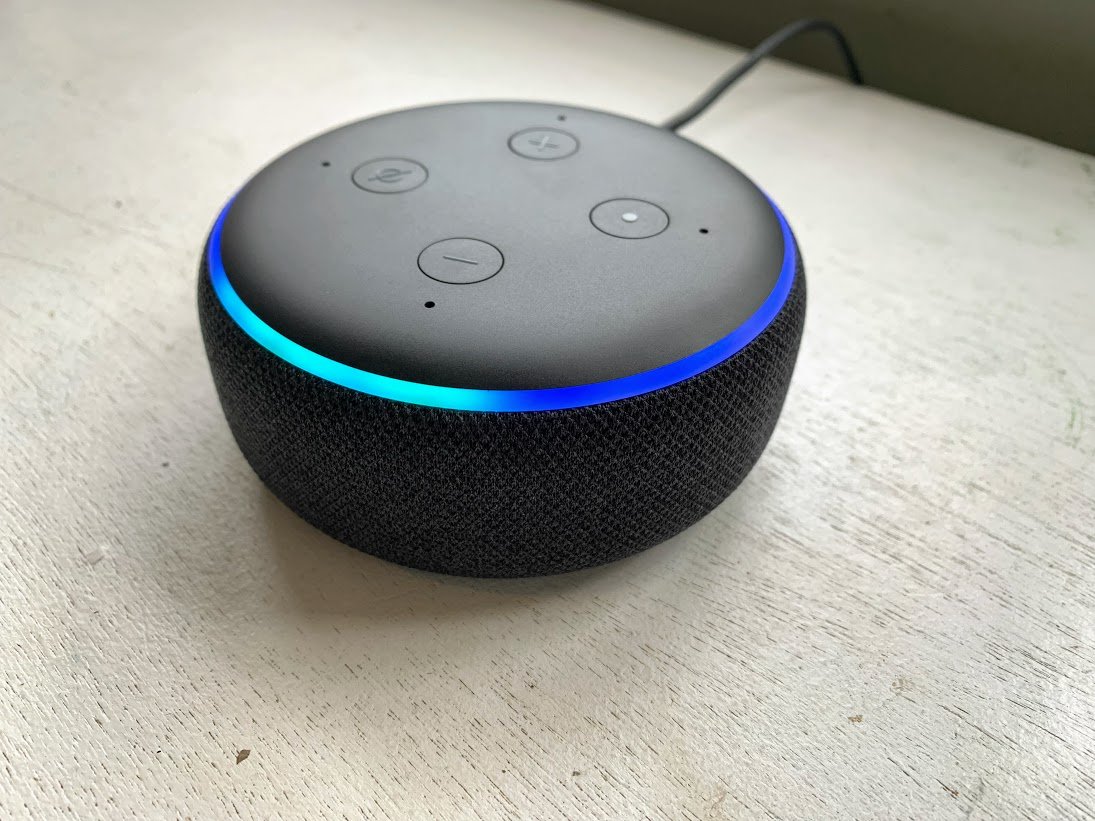
Amazon Echo Dot vs. Echo Dot Kids Edition: Which should you buy?

We live and breathe smart home products and use them all to help determine which products should reside in your home.

Amazon Echo Dot (3rd gen)

For everyone

$50 at Amazon

Pros

  • All-new design
  • Improved sound
  • Retains input methods from 2nd-generation
  • $20 cheaper

Cons

  • Not ideal for kids
  • Lack of extended warranty
  • Have to pay extra for FreeTime Unlimited

The new Amazon Echo Dot (3rd gen) is sleek, keeps all of the same input ports as its predecessor, and is $20 cheaper. However, this is not an ideal solution for potentially messy kids, the warranty is nowhere near as good, and you have to pay extra for parental control features.

Amazon Echo Dot Kids Edition

Kid-centric

$70 at Amazon

Pros

  • Alexa Blueprint helps kids create Skills
  • 2-year worry-free guarantee warranty
  • 1-year Amazon FreeTime Unlimited included

Cons

  • $20 more expensive than Echo Dot
  • Limited color choices

This is the obvious choice if you want to put Alexa in your child's playroom or bedroom. The included warranty and FreeTime Unlimited are almost worth the price of admission. However, that will be a tough pill to swallow at $70.

How do they stack up?

At first glance, the decision on which version of the Echo Dot (3rd gen) should be pretty simple and straightforward. If you want an Echo Dot for anywhere in the house, then get that one, however, if you want one for your kids, or like the color options, then it's the better pick. Let's look at the specs.

Echo Dot (3rd gen) Echo Dot Kids Edition
Size 3.9" x 3.9" x 1.7" 3.9" x 3.9" x 1.7"
Weight 10.6 oz. 10.6 oz.
Microphones 4 7
Speakers 1.6" speaker 1.6" speaker
Bluetooth Yes Yes
3.5mm audio output Yes Yes
Warranty 3-months 2-years

As for the Echo Dot Kids Edition, this is essentially the same as the standard Echo Dot with a couple of new paint schemes. The real value comes in the "extras" that are available with the Echo Dot Kids Edition. If parental controls and family-friendly content are vital to your plans, then you'll enjoy the one year of FreeTime Unlimited and a 2-year warranty. This warranty provides a full product replacement, regardless of what happens to the Echo Dot.

This is extremely tempting if you are clumsy, or there are children running around the house. The Echo Dot (3rd gen) only has a 90-day warranty, meaning you could end up shelling out another $50 if something goes awry. Other differences come in the speaker and microphone department. These are speakers after all, so these are important.

The Echo Dot Kids Edition is essentially the same as the Echo Dot 3rd-generation with some new colors.

Speaking of FreeTime Unlimited, there are a few things to take note of. The included subscription with the Kids Edition not only provides a plethora of parental controls, but also a multi-platform subscription, which offers music, audiobooks, TV shows, movies, games, and much more for your kids. You can stream music from Radio Disney or access the Parent Dashboard, which provides Parental Control features.

Additionally, if you end up deciding on the standard Echo Dot (3rd gen), then you can actually add FreeTime Unlimited. This will cost you an extra $2.99 per month and will still give you the same access as if you purchased the Echo Dot Kids Edition. Amazon also offers a yearly subscription priced at $83 for Prime members or $119 if you aren't a Prime subscriber.

Opting for FreeTime Unlimited means that you'll have kid-friendly content accessible across an array of devices. These products not only include the Echo family, but also Fire tablets, Kindle tablets, iOS, and Android. This is the perfect way to keep your children occupied and looking at the "right" content, regardless of the platform.

The Echo Dot (3rd gen) comes equipped with a much more powerful 1.6-inch speaker, combined with four total microphones. However, a new product means improvements to these various hardware inclusions. The Echo Dot Kids includes the same 1.6-inch speaker, so your kids will enjoy their music much better than before. Plus, they will be able to hear Alexa's responses easier.

Chances are if you really care about the sound that much, you'll end up having picked up an external speaker that is compatible with either Echo Dot. So, you don't really have to worry too much, but the included 3.5mm headphone jack on these devices is really convenient.

The final decision should be simple. If you have kids and want all that FreeTime Unlimited has to offer, you should go for the Kids Edition. Unless you're a clumsy adult or want that awesome Rainbow scheme you should get the Echo Dot.

Amazon Echo Dot (3rd gen)

For everyone

$50 at Amazon

Perfect for just about anyone

If you are looking for a speaker featuring a great design, improved speakers and microphones, and a cheaper price tag, then you'll want the standard Echo Dot.

Amazon Echo Dot Kids Edition

For Kids

Perfect for those seeking parental controls

$70 at Amazon

The Echo Dot Kids Edition is the obvious choice for those who want to put Alexa in a child's playroom or those who want the great warranty included, and don't care about the price.

The OnePlus 6T is the best phone for rooting and modding in 2019

Rooting isn't as popular as it used to be, but there's still a vibrant community of modders involved in launching new ROMs. If you're just getting started or are looking to delve back into the world of modding, these are the devices you need to consider.

Staff pick

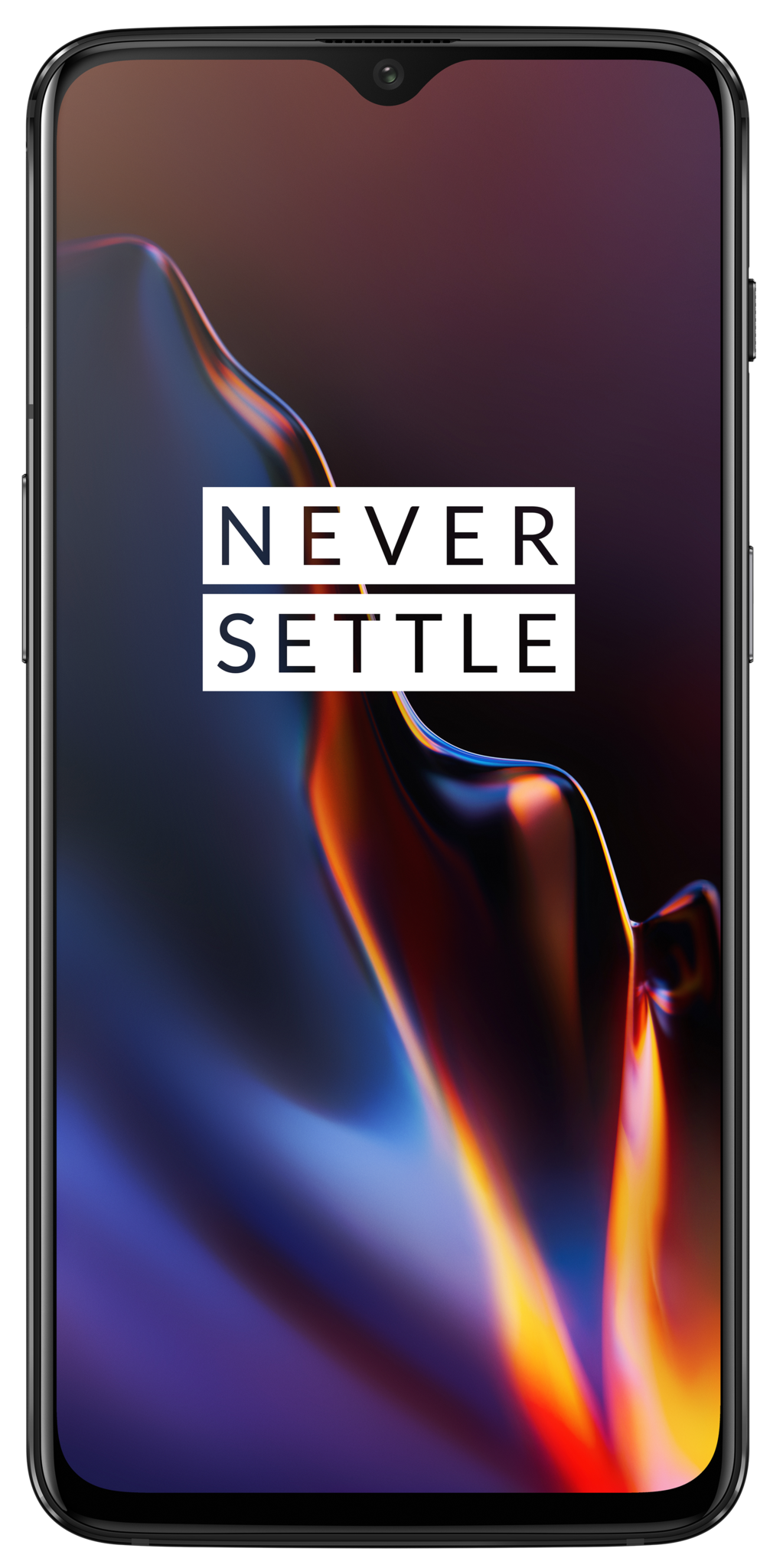
OnePlus 6T

The OnePlus 6T shares much of the same internal hardware as its predecessor, sporting a smaller waterdrop notch and introducing an in-display fingerprint sensor. The hardware on offer makes it one of the fastest phones in the market today, and it's easy to recommend the 6T if you're interested in tinkering with custom ROMs.

From $549 at OnePlus

Upgrade pick

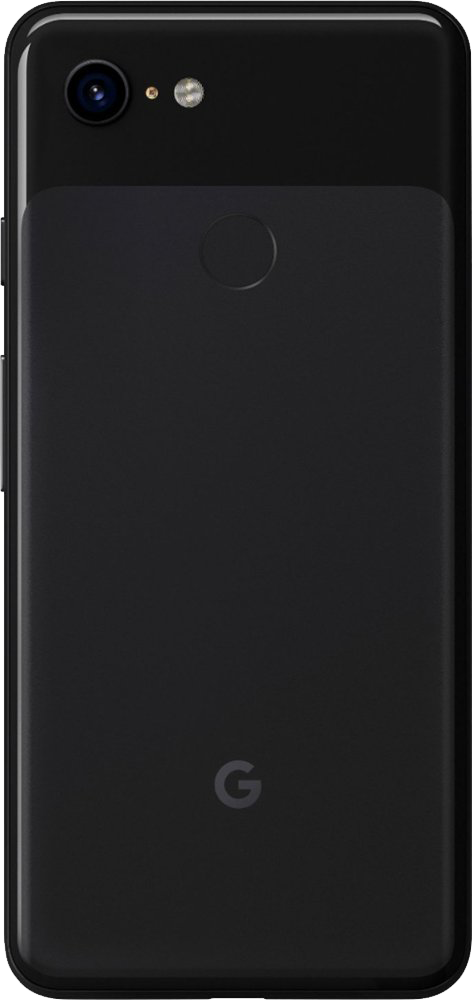
Google Pixel 3

Whether you prefer the Pixel's size or just want that dazzling camera, it's a great alternative to the OnePlus 6T that won't cost you too much more. Google makes it incredibly easy to unlock the Pixel 3's bootloader, and there's a healthy modding community to help you flash the latest build of LineageOS or even set up an all-in-one flashing tool.

From $799 at Google

The flagship option

Samsung Galaxy Note 9

Samsung makes great phones, but it isn't the fastest at rolling out updates. Combine that with a software skin that not everybody loves, and you get a community dedicated to launching ROMs that emulate a stock Android feel for one of the best phones on the market. Just make sure to grab the Exynos variant — you won't find the same community support for the Snapdragon model sold in the U.S.

$556 at Amazon

Budget Option

Pocophone F1

The Pocophone F1 is built on the same ideals as the OnePlus 6. You get fantastic hardware for not a whole lot of money, and there's an active community of people rolling out custom ROMs for the device.

$315 at Amazon

The Bottom Line

Rooting your phone gives you finer control when it comes to making your phone truly yours. You get the ability to install frameworks like Xposed — which give you more customization options — and there really is no end to the number of things you can tweak on your device.

The OnePlus 6T is the best device for getting started as there's already a wide selection of ROMs available for the device, and should you break anything, you won't lose out on the warranty.

If you are looking to upgrade, the Google Pixel 3 is a good alternative. It's easy to unlock and there's a healthy modding community that make this a great choice. As manufacturers tighten the security of their phones, finding models that allow rooting or extensive modification becomes more difficult. There are still phones you can buy that fit the bill, though, and these are the best available right now.

Motorola has let me down for the last time

The last-minute switcheroo with the Z2 Force is the last straw — I won't recommend a Motorola phone to anyone now.

If you're ever in the mood to think about a "how the mighty have fallen" story, you need to look no further than Motorola. The company used to be at the forefront of technology in everything digital, but buyouts, restructuring, and eventually becoming another OEM nameplate has left Motorola little more than a memory that old tech dudes like me will fondly look back with melancholy reflections of the good old days. If I sound bitter, it's because I am, just a little.

Motorola invented the cellphone and a lot of the parts that go inside one, too.

Where we are today with Motorola as an Android vendor has a particularly interesting story, too. The company was a pioneer of Android, releasing what many call Android's pivot point with the Motorola Droid/Milestone. While not a compelling device by today's standards, it was the first Android phone that fused state of the art specs and a massive marketing campaign to launch it into millions of pockets. Partnering with Verizon as an alternative to Apple's iPhone probably didn't hurt either.

As the Motorola name fell out of fashion — mostly because Samsung learned how to make amazing phones and work with carriers, too — the company fell on hard times and the hardware division was scooped up by Google itself. We enjoyed several years of phones built by people who knew how to make hardware and software for them, then Google decided to sell off the "phone" side of Motorola to Lenovo. By then, however, the company's phone business was little more than a name and a handful of design patents.

Lenovo is not a small fly-by-night company that has no clue when it comes to making top-notch electronics. The company acquired the rights to build ThinkPad laptops from IBM and has continued the success of the brand while also expanding it away from just very expensive machines designed for true road warriors. Many — myself included — had high hopes for Motorola under Lenovo's care. Most of those who held those hopes have been disappointed time and time again. Again, myself included.

Everyone has their own tipping point, and mine in regard to Motorola was when the company announced that the previously announced Android 9 update for the Moto Z2 Force would only apply to the Verizon version:

Delivering any Android upgrade is a complex process. For a variety of reasons, some US Moto Z2 Force models will not receive the Android 9 "Pie" update. The Moto Z2 Force model sold by Verizon will receive Pie as it is necessary to enable the 5G Moto Mod. We are committed to providing two years of Android security updates on all Moto Z2 force devices. While we always caution that our update plans may change, Motorola regrets any inconvenience or disappointment this may cause our loyal consumers.

It almost feels like Motorola is only going to update phones so it can make money selling 5G Moto Mods to Verizon, and as a customer, your experience means next to nothing.

The only way Z2 Force customers were ever going to see some critical security patches was with a Pie update.

The company has had a very poor record regarding updates since it was sold to Lenovo; both the big grand Android platform updates and the important but overlooked security patch updates. This compounds the whole issue, as the only realistic chance Z2 Force owners have to get those critically important updates they have missed is when they are bundled into the Android 9 release. These patches have no glitz or glamour associated, but they are the types of updates that keep you and your personal information safer. I've mentioned it before and I'll say it again: manufacturers owe us security patches on a regular basis if they expect us to owe them our allegiance.

If a company can't deliver in a timely manner, then it needs to deliver on a schedule it can adhere to. The important part is that it delivers at all, and since Motorola has decided not to do so I've decided to tell anyone who asks that they shouldn't buy a Motorola phone.

Amazon adds a Live tab to Fire TV

It puts all the live shows from your favorite services — and antennas — all in one place.

What you need to know

  • Live shows will get better placement on the busy Amazon Fire TV home screen.
  • It'll work with OTT services as well as channels over an antenna.
  • The Live tab lands in the United States first.

Prime Video might be Amazon's bread and butter when it comes to Fire TV, but the company finally has seen the light when it comes to live shows. The Fire TV OS is getting a tab dedicated to live TV, as announced by the company in a post on Medium.

The top-level section "brings together your live sports, news, and channels from select OTT services, streaming apps (e.g. PlayStation Vue), paid subscriptions, and over-the-air antennas into one consolidated view."

It's very much akin to the excellent (but absolutely underutilized) Live Channels app on Android TV. It'll consolidate live offerings from OTT streaming services like Philo and PlayStation Vue, as well as from over-the-air antennas and, of course, the Fire TV Recast DVR box.

The Live tab also will be populated with content from sports from such channels as HBO, Showtime, MLB.TV, NBA League Pass, PGA Tour Live and more — all of which happen to be channels to which you can subscribe directly as an Amazon Prime Video Channel.

You'll be able to customize the order of the channels in the dedicated rows by designating the most important ones as favorites, Amazon says.

Amazon says the new Live tab will be rolling out to Fire TV users in the United States over the next week or so.

Making Live TV better

Amazon Fire TV Stick 4K

$49 at Amazon

The best way to use Fire TV

This little stick has all the features you want from Fire TV, including 4K resolution, Dolby Vision HDR and Dolby Atmos audio.

Over-the-air DVR

Fire TV Recast

From $229 at Amazon

Plug in an over-the-air antenna and record live TV straight into your Amazon Fire TV Stick.

Want to connect your PS4 headset to your phone? Let us help.

Best answer: Yes. Most headsets these days can be used on multiple platforms including your phone. However, you may need to pick up an adapter to make it work.

PlayStation Wireless & Proprietary Adapters

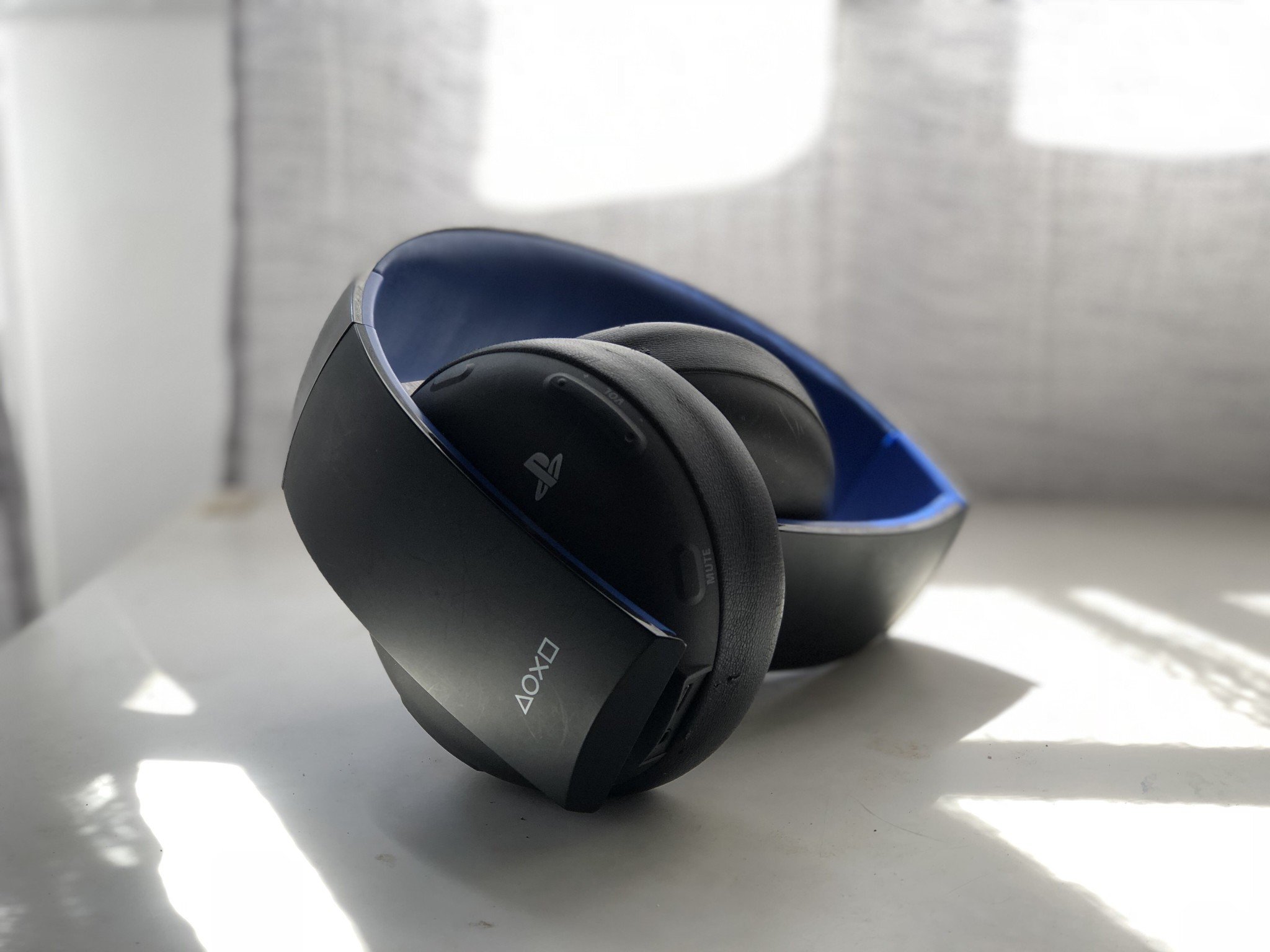
So, you want to use your PS4 headset with your phone. No problem! Included with the PS4 Gold and Platinum Wireless Headset is a proprietary adapter you need for the headset to work. This is one drawback to the PS4 is that their wireless audio feels like an afterthought.

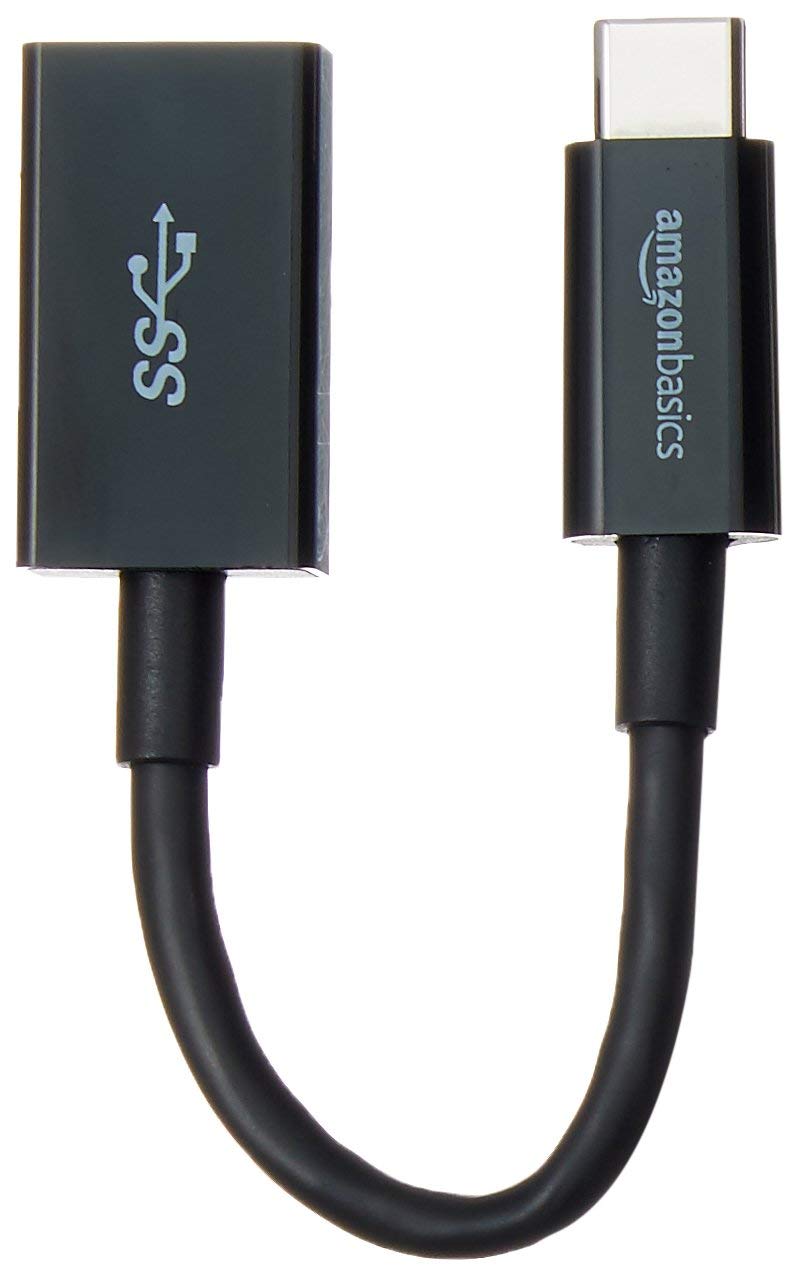
Usually, this little piece of technology would be plugged into a USB port on your PlayStation 4; without it, your licensed headset won't communicate with your PS4. The same concept works with your phone. Without this adapter, your headset cannot communicate with your phone, but by using a female USB to micro-USB cable you can plug the proprietary adapter into your phone, thus allowing you to use your Gold Wireless headset!

These converter cables are common and can be found for any phone, whether it needs female USB to USB type-C or your generation of iPhone plug. A solid converter without a cord can also be used, but these can be bulky and add an extra two inches onto the bottom of your phone once the adapter is plugged in.

Bluetooth

If you are using a headset that isn't officially licensed by PlayStation, you would have had to set up a portable wireless transceiver on your PS4. Basically, this is the nonproprietary version of the adapter mentioned above, only this allows your PS4 to communicate with Bluetooth devices instead of the licensed headsets. Your phone should already be able to do this. No adapter necessary! Simply pair your headset to your phone's Bluetooth.

3.5mm Audio Jack

While many people are moving to wireless, the simplicity of a 3.5mm audio jack can be a breath of fresh air. If you are using a 3.5mm wired headset on your PS4, it really is as simple as plugging it into your phone instead... unless you happen to have one of those new phones without an audio jack. Luckily, there are converters that you can turn your lightning or micro USB port into an audio jack.

Adapters for all

The moral of this story really seems to be, "Yes, with an adapter." The licensed headsets with proprietary adapters need another adapter for it to work but it will indeed work. Bluetooth wireless headsets don't need an adapter to work with your phone but you would need an adapter for it work with your PS4 in the first place. Even your wired headsets might need an adapter depending on the type of phone you have.

But no matter which setup you have, with the right adapters, yes your PS4 Headset can work with your phone. Adapters for all!

Our pick

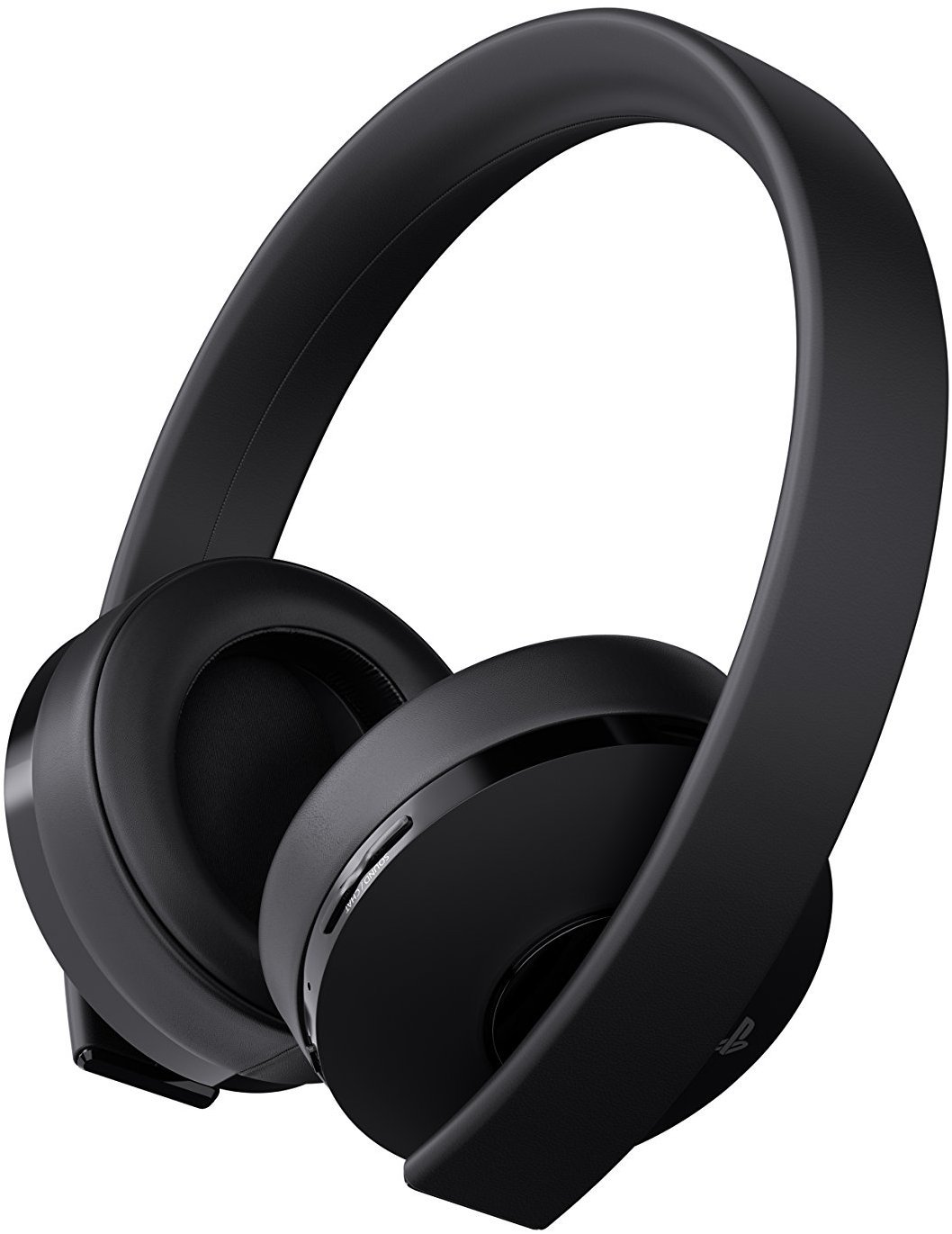
PS4 Gold Wireless Headset

$75 at Amazon

Clean design, clean sound

The new design of the PS4 Gold Headset cuts back on unnecessary features like foldable arms to make way for a more lightweight model that offers the same clean sound.

Connecting

AmazonBasics USB Type-C to USB 3.1 Gen1 Female Adapter Cable

$9 at Amazon

Yes, with an adapter

This handy little adapter cable lets you connect your PS4 licensed headsets to your phone. They also come in micro USB and lightning ports so you can connect no matter which phone you have.